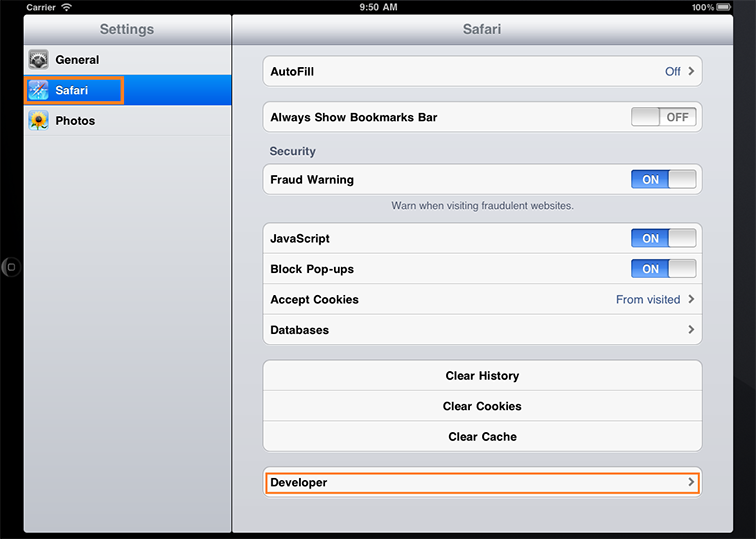
- In the Settings panel touch Safari and then Developer.
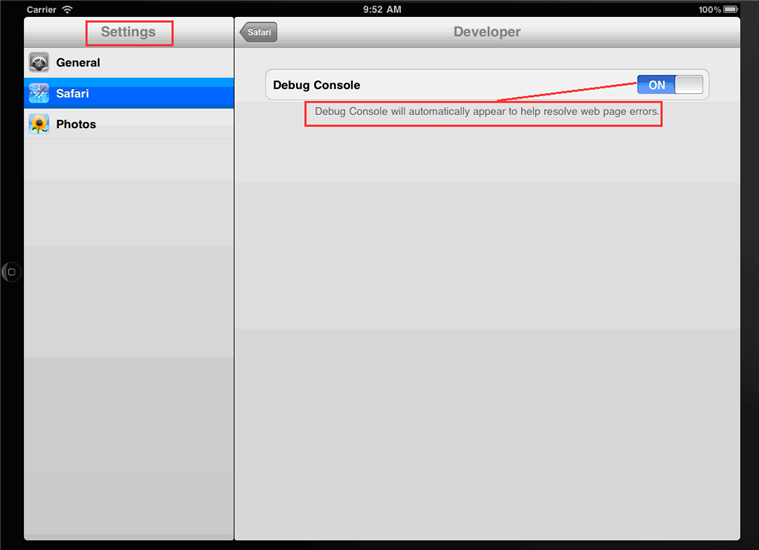
- In the Developer panel turn the Debug Console on:
- When you now go back to Safari you can see a small Debug Console area. If there are logs to show, touching the arrow on the right will bring up the debug console like this:
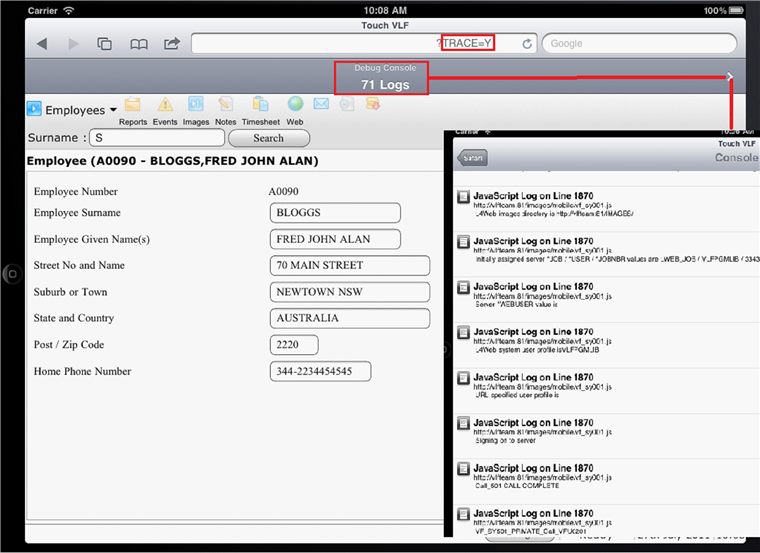
Javascript errors also show up in the Debug Console.