EXAMPLE_AXES_SCRIPT.csv.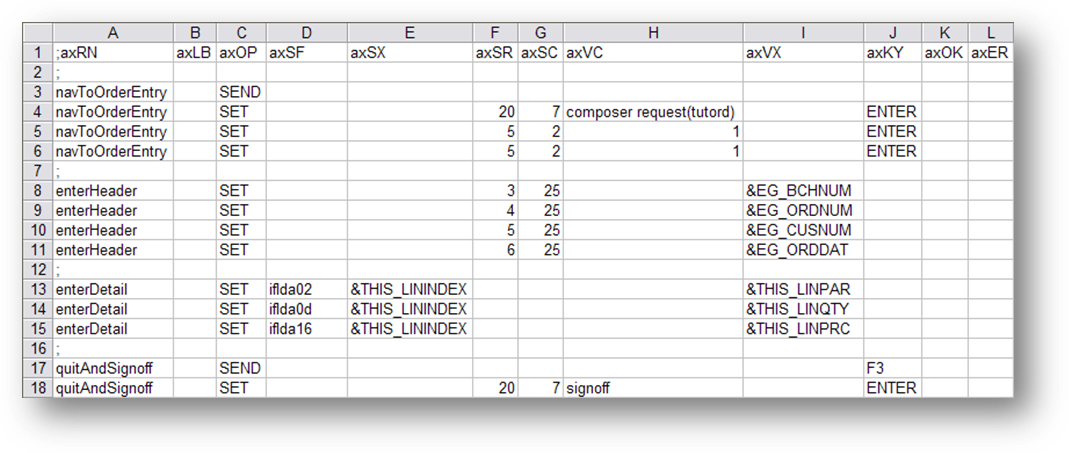
This example, contains four script routines, which are:
Following is an example of an aXes terminal operations script which is intended to input the details of a received sales order into the LANSA Composer Tutorial Orders application. Although it is defined in comma-separated format, it is shown here displayed in a spreadsheet program.
Script lines beginning with a semi-colon (;) or asterisk (*) are treated by LANSA Composer as comments and are not processed.
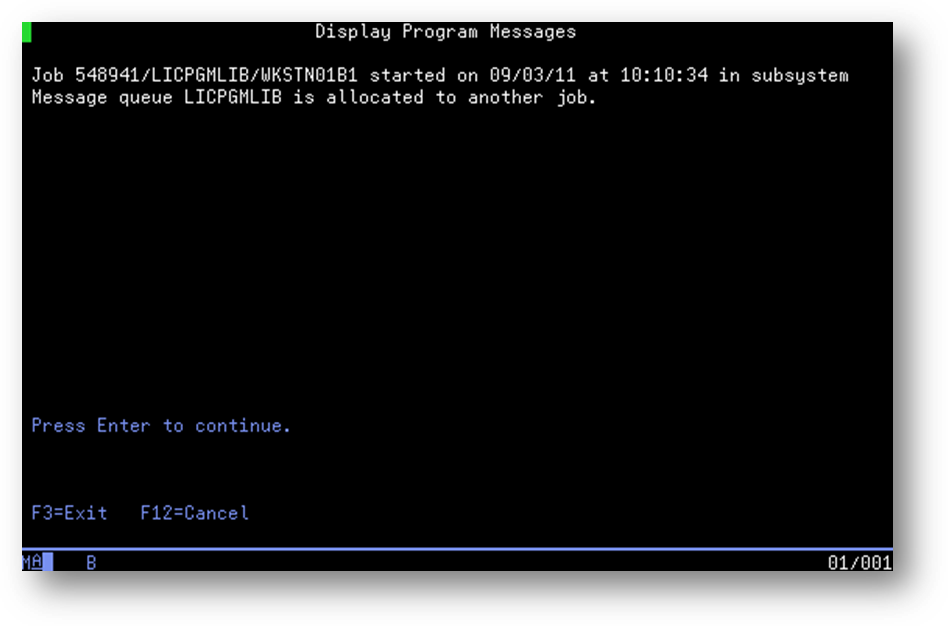
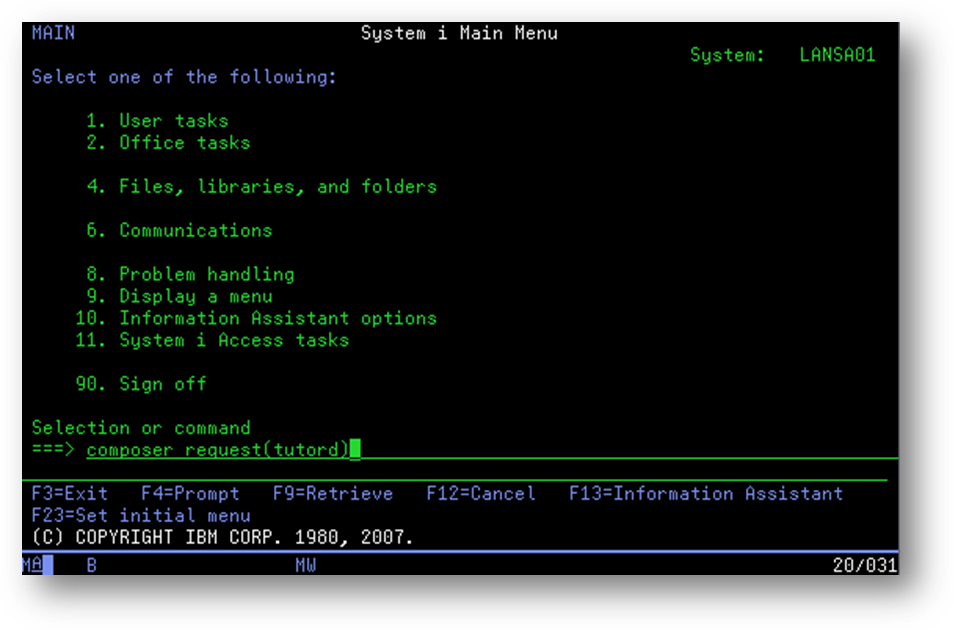
To make this example clear, the following script routine descriptions include 5250 screen pictures that show the screens as if you were doing the order entry process manually.
This example script file is available with the LANSA Composer server system as EXAMPLE_AXES_SCRIPT.csv.
This example, contains four script routines, which are:
Some of these example script routines use screen row and column numbers (in columns axSR and axSC respectively) to refer to aXes screen fields. In general, we recommend using aXes screen field names assigned using the aXes developer facilities and contained in an aXes project that is named in the TS_CONNECT activity.
This script routine is for use immediately following the TS_CONNECT activity to navigate the aXes terminal server session to the Received Order Entry screen, ready to enter the order details. Note the following about this script routine:
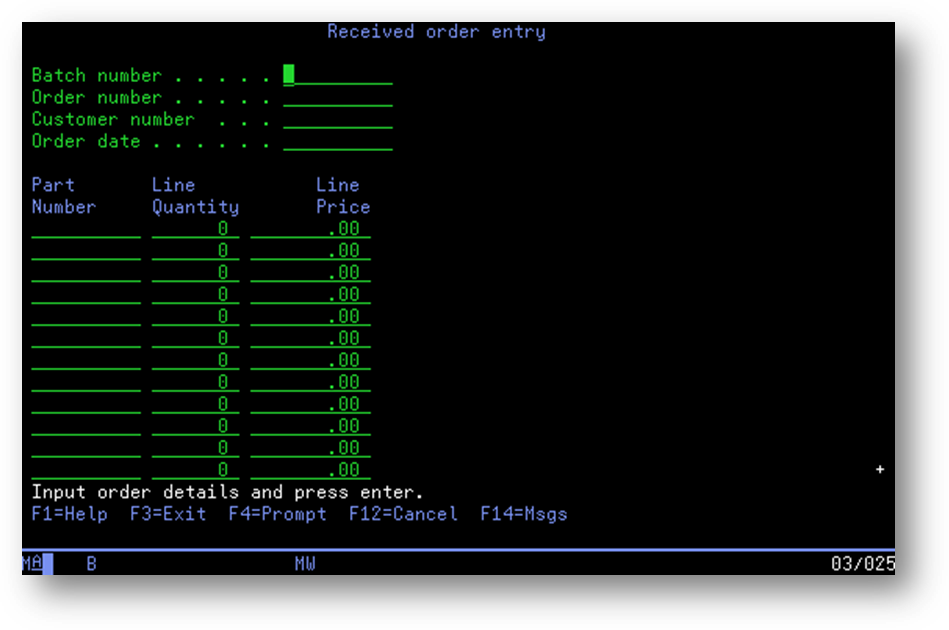
This script routine fills the order header fields of the Received Order Entry screen using the values contained in the processing sequence variables named in the axVX column.
The Processing Sequence must populate the processing sequence variables referenced before executing this script.
This script routine fills one line of the order details portion of the Received Order Entry screen using the values contained in the processing sequence variables named in the axVX column.
The Processing Sequence variable &THIS_LININDEX is specified in the avSX column to specify the index of the instance on the current screen of the field whose value is to be set—in other words, in this case, the order details line or row number.
The script routine refers to the aXes screen fields by their aXes field identifier, such as iflda02. More usually, you would use a user-assigned screen field name defined in the aXes project that is named on the TS_CONNECT activity.
The Processing Sequence must populate all the processing sequence variables referenced before executing this script.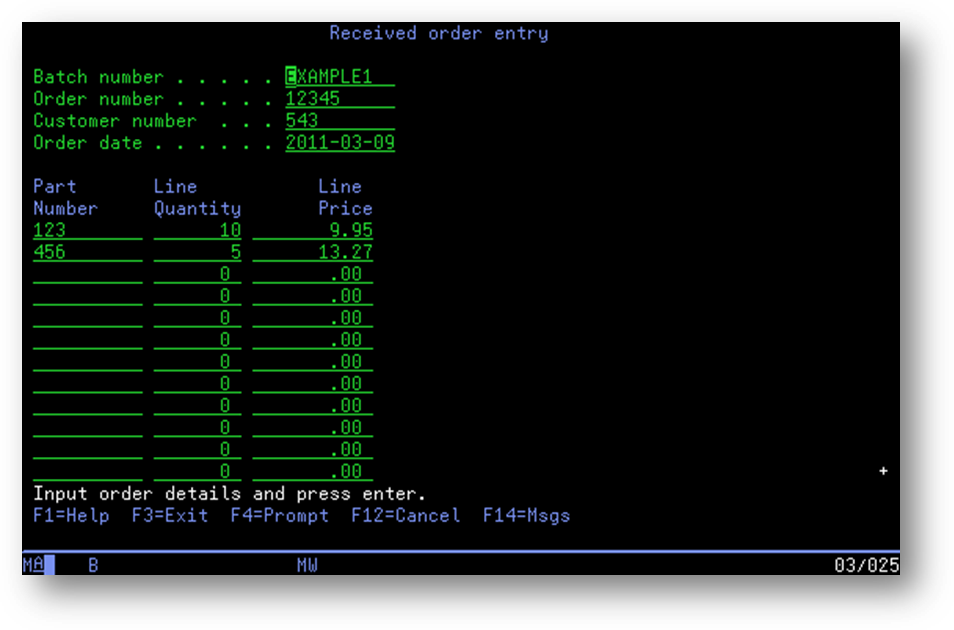
| Note: This example assumes that there will not be more than one subfile page of order details. No scrolling is performed. Real-world applications may need to send ROLL_UP using the TS_SEND activity at appropriate points to scroll subfiles that are displayed by the 5250 application. |
This script routine sends function key F3 to quit the LANSA Composer Tutorial Orders application and then signs off the terminal session.
The Processing Sequence that executes this script would usually execute the TS_DISCONNECT activity immediately afterward.