
If you are upgrading LANSA Composer Server from an earlier release, you should refer back to Plan Your Upgrade to LANSA Composer Version 8.0. Do not proceed until you have followed the steps to backup.
| If you are upgrading LANSA Composer Server from an earlier release, you should refer back to Plan Your Upgrade to LANSA Composer Version 8.0. Do not proceed until you have followed the steps to backup. |
Log on to your Windows server using a user that has administrative rights on the computer.
Insert the LANSA Composer installation DVD into the DVD drive of your Windows server. After a short pause, the LANSA Composer installation program should load. (If the installer does not start automatically, use Windows Explorer to locate and open the setup.exe file in the root directory of the installation DVD.)
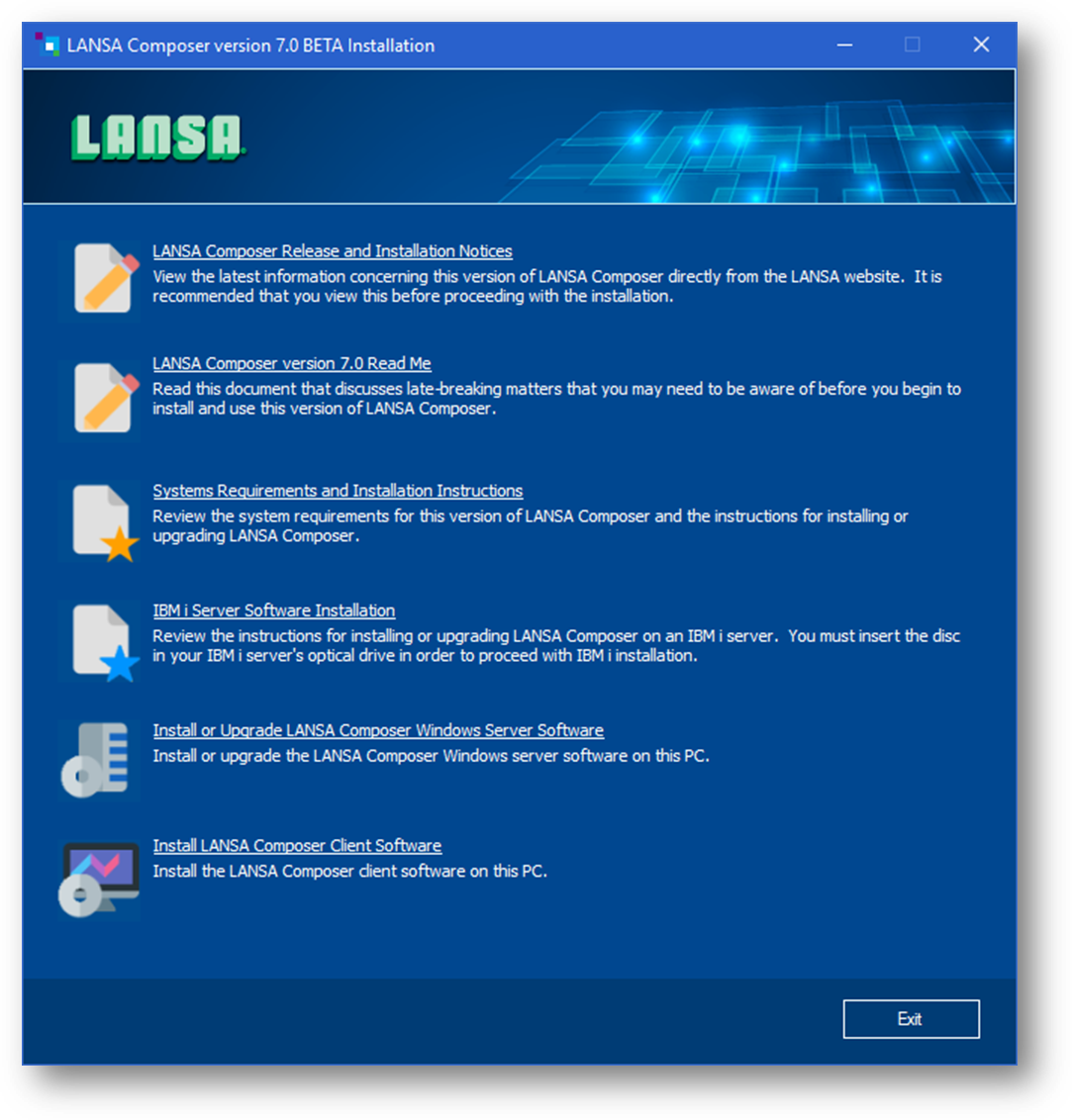
Click the Install or Upgrade LANSA Composer Windows Server Software option to start the LANSA Composer Windows Server setup program.
Depending on whether LANSA Composer Server (version 5.0 or later) has already been installed on this computer, continue with one of the following:
Install LANSA Composer Windows Servers Software
Upgrade LANSA Composer Windows Server Software
Repair an Existing LANSA Composer Installation