You define your Transformation Map using the mapping tool. If you wish to use a database in your map, you do so by inserting a database component and completing the screens presented by the mapping tool that define the database connection. Because the mapping tool runs on your LANSA Composer client computer:
If you are preparing maps for execution as MapForce Server execution files (.MFX), then the LANSA Composer Server will use the same connection (subject to Global Resources) when the map runs on the server. In this case the required database connectivity components must be installed and configured on the LANSA Composer server computer too.
Refer to the following topics for more information about inserting a database component using the mapping tool:
Select Database Schema and Tables
ODBC stands for open database connectivity. It is an API for using database management systems that is intended to be independent of programming languages, databases and operating systems. It provides methods for querying and updating data in a database.
An ODBC driver is software that conforms to the ODBC standard and will provide the bridge between ODBC database access requests issued by the application (in this case the mapping tool, Altova MapForce) and a particular vendor's database system.
The driver accepts requests according to the ODBC standard API and processes them according to the particular database type or system for which it is designed.
Major database vendors provide approved ODBC drivers for their database products. Refer to Database Connectivity Components and Drivers for further information.
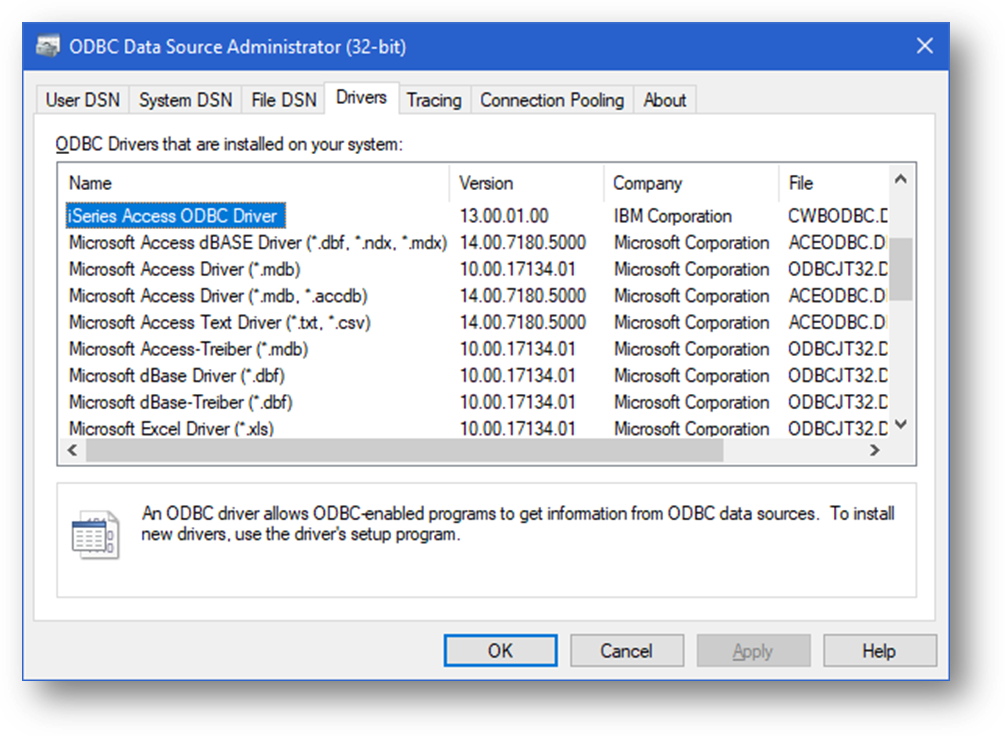
You can see the ODBC database drivers installed on your client computer by starting the Data Sources (ODBC) control panel applet and selecting the Drivers tab.
While an ODBC driver knows how to query and update data in a particular type of database system, it usually requires additional information that refers it to a particular instance of that database system. Such information may include, for example:
Such information is usually held in a DSN (database source name). You have to create the DSN's necessary to access your databases according to your own database implementations. In Microsoft Windows, you can create three types of DSN:
You can see, change and create DSNs on your system by starting the Data Sources (ODBC) control panel applet and selecting the User DSN, System DSN or File DSN tabs. Most applications that support ODBC (including the mapping tool) will allow you to create or change a DSN from within the application in the course of establishing a database connection.
In either case, when you create or change a DSN, additional screens will be presented that will ask you for the information necessary to connect to a particular instance of the database. The screens are defined by the ODBC driver, depend on the requirements of the target database and will vary from one database driver to another.