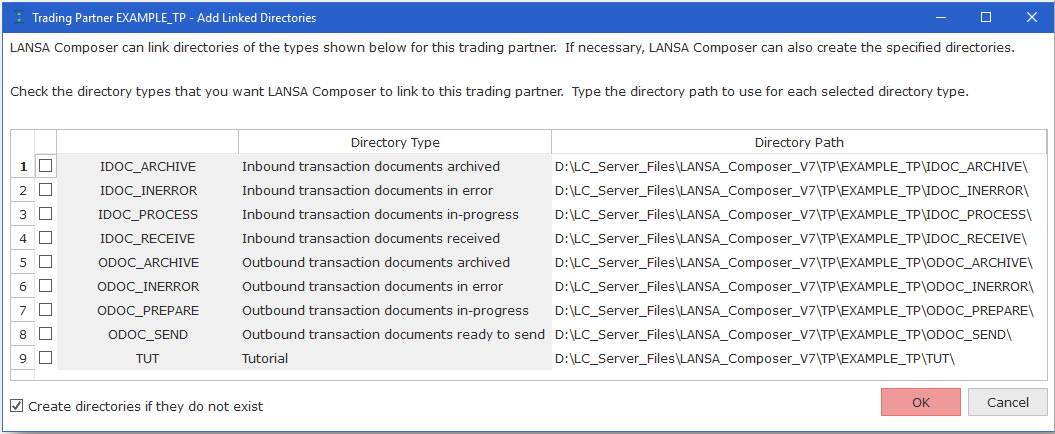
When creating or copying a Trading Partner or when adding Linked Directories to an existing Trading Partner, LANSA Composer displays the Add Linked Directories window. This window shows the directory types that are not already linked to the Trading Partner and:
Click the checkbox next to each directory type that you wish to add for this Trading Partner. Type the directory path if you do not wish to accept the suggested directory path. Click OK when complete. LANSA Composer will link the selected directory types to the Trading Partner. LANSA Composer may also create the directories if they do not exist, according to the setting of the checkbox near the bottom of the window.