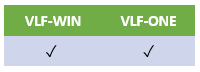
In VLF-ONE
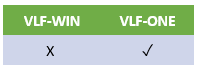
VLF-ONE uses a newer switch mechanism than VLF-WIN. Some examples are:
Switch to the Orders business object:
#avFrameworkManager.avSwitch Caller(#COM_OWNER) ToObjectnamed(ORDERS)
Switch to the Order business object and execute the New command:
#avFrameworkManager.avSwitch Caller(#COM_OWNER) ToObjectnamed(ORDERS) Execute(Command_New)
Switch to the products business object:
#avFrameworkManager.avSwitch Caller(#COM_OWNER) ToObjectnamed(PRODUCTS)
Display the application selectio menu:
#avFrameworkManager.avSwitch Caller(#COM_OWNER) ToObjectnamed('*SELECT_APPLICATION')
Exit from the Framework:
#avFrameworkManager.avSwitch Caller(#COM_OWNER) ToObjectnamed(VLFONE_DEMONSTRATION) Execute('*EXIT')
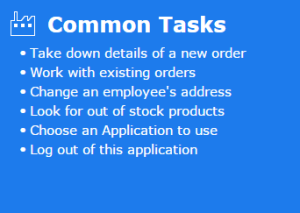
You can try these out in the shipped demonstration application and displaying the left edge slider (DF_SLIDLT):
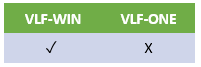
In VLF-WIN
| AvSwitch Method Examples | Description |
|---|---|
Invoke #avFrameworkManager.avSwitch | Switches control to the Framework and executes the command handler associated with the command named "Tax_Calculator". |
Invoke #avFrameworkManager.avSwitch | Switches control to the Framework and executes the command handler associated with the command named "*EXIT". This switch would cause the Framework to close down. It is handled exactly as if the user selected "File" then "Exit" from the menu bar. |
Invoke #avFrameworkManager.avSwitch | Switches control over to the application named "GeneralLedger". No command is executed. |
Invoke #avFrameworkManager.avSwitch To(BusinessObject) Named(Customers) Caller(#Com_Owner) | Switches control over to the business object named "Customers". No command is executed. |
Invoke #avFrameworkManager.avSwitch To(BusinessObject) Named(Customers) Execute(New) Caller(#Com_Owner) | Switches control over to the business object named "Customers" and then executes the command named "New". |