You are not required to include an administrator user in a deployed Framework.
To use a production Framework without any defined user you must change your copy of UF_OLOGON. See What Imbedded Interface Points are Provided in VLF-ONE?
If no Framework users exist, using a special user allows you to log on and create an initial set of VLF administration users. The new administrators themselves can then log on to create and maintain other user profiles.
You need to temporarily disable Framework object authority for a special user:
If (#UserProfiletoCheck = '<special user>') #UseFrameworkObjectAuthority := False
Else #UseFrameworkObjectAuthority := True
Endif
When special users start the user maintenance feature, they see a message indicating that security is turned off for them. Now they can go ahead and create an initial set of administrators.
| The role of an Administrator in VLF-ONE Applications In VLF-ONE applications, user profiles set up to be administrators are normally not used as general users of the application. Instead, they are used to change the authorizations and custome properties of general users. This is because administrators cannot have authority or override custom property values applied to themselves. The net effect of this is that the person who is the administrator may require two user profiles: an administration profile and a general user profile. |
Start the Framework in Design mode.
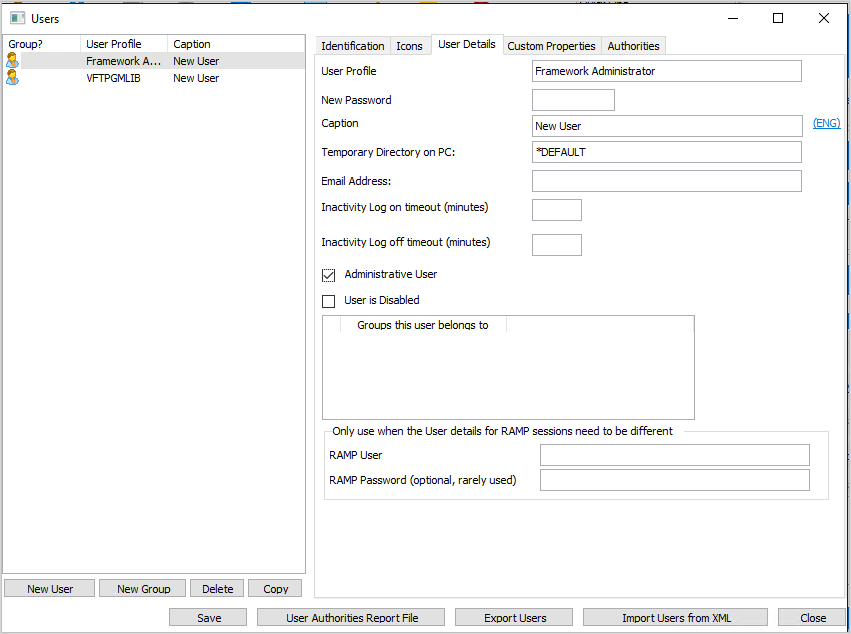
Go to the (Administration) menu --> (Users...), User Details tab.
Use the "New User" button to create a user.
Open the User Details tab and type in the user details.
Make sure you check the Administrator User check box.