Set the codefield property to DEPTMENT and the captionfield property to DEPTDESC. Your grid should be looking something like this: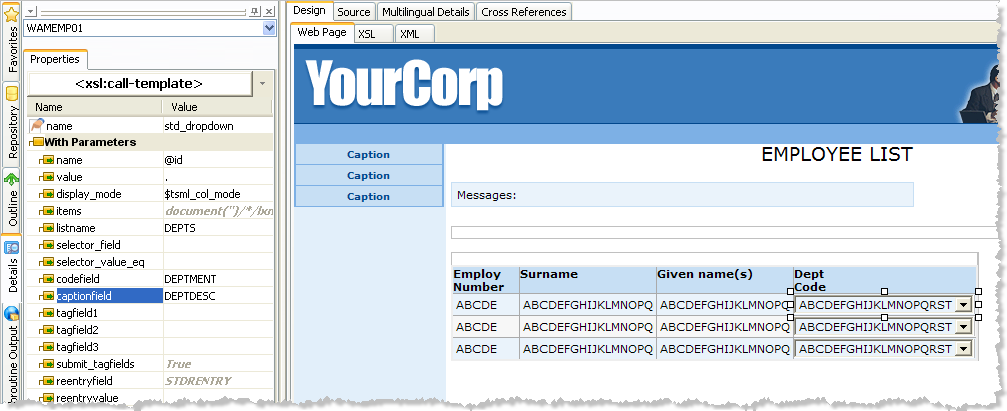
| Notice that the value property contains a single period (.). This indicates that the value for the combo box should be the value of the current column of the EMPLIST list. Notice, also, that the display_mode property is set to $tsml_col_mode. This is a special XSLT variable used inside the grid to indicate the display mode defined in the DEF_LIST. |
Now an on_change action will be added to the combo box to execute a Webroutine when a value is changed. The Webroutine, UpdateDepartment, takes two inputs: EMPNO and DEPTMENT.
Set the on_change_wrname property of the combo box to UpdateDepartment.
Set the tagfield1 property of the combo box to DEPTMENT. This tells the combo box to submit the selected value of the DEPTMENT column (in the DEPTS list).
Set the reentryfield property of the combo box to EMPNO and set the reentryvalue property to ../lxml:column[@name='EMPNO']. As this is an XPath expression you must use the XPath entry area at the bottom of the details tab to enter the value. This tells the combo box to get the value of the EMPNO column of the grid and submit it in a field called EMPNO.