この再利用可能パーツを変更して、以前定義した ExternalWindowsServiceBase を継承するようにします。
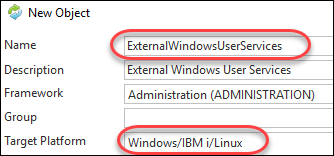
ExternalWindowsUserServices という名前の再利用可能パーツを作成します。
この再利用可能パーツを変更して、以前定義した ExternalWindowsServiceBase を継承するようにします。

SetupUrlBuilder メソッドを再定義して、ユーザー・サービスのパス・コンポーネントを追加します。
ユーザー・サービスの URL を思い出してください。
http://localhost:9001/user/
ユーザー・サービスのパスに対するベース URL に追加のパス・コンポーネント'user'があります。ですから、ExternalWindowsUserServices の SetupUrlBuilder メソッドでは、URL に 'user を付ける必要があります。
Mthroutine Name(SetupUrlBuilder) Options(*REDEFINE) * 最初に祖先の SetupUrlBuilder を起動 #COM_ANCESTOR.SetupUrlBuilder UrlBuilder(#UrlBuilder) * 次にこのクラスを実装 #UrlBuilder.AddPathComponent( 'user' )Endroutine
次に RDMLX 再利用可能パーツに Authenticate メソッドを実装してみましょう。
Mthroutine Name(Authenticate) * パラメータ Define_Map For(*INPUT) Class(#PRIM_DC.UnicodeString) Name(#Domain) Define_Map For(*INPUT) Class(#PRIM_DC.UnicodeString) Name(#UserName) Define_Map For(*INPUT) Class(#PRIM_DC.UnicodeString) Name(#Password) Define_Map For(*RESULT) Class(#PRIM_DC.UnicodeString) Name(#Result) * 変数 Define_Com Class(#XPRIM_UriBuilder) Name(#Url) Define_Com Class(#XPRIM_HttpRequest) Name(#Request) Define_Com Class(#XPRIM_RandomAccessJsonReader) Name(#Json) * URL のベース・プロパティ設定 #COM_SELF.SetupUrlBuilder Urlbuilder(#Url) * ''authenticate' パス・コンポーネント追加 #Url.AddPathComponent Pathcomponent('authenticate') * フォームのパラメータ追加 #Url.AddQueryString( 'domain' 'syd' ) #Url.AddQueryString( 'username' 'tony' ) #Url.AddQueryString( 'password' 'test' ) * HTTP 要求の実行 #Request.DoGet Url(#Url) * 認証結果を取得 #Json.SetSourceHttpResponse( #Request.Response ) #Result := #Json.ReadStringWithName( 'result' )Endroutine