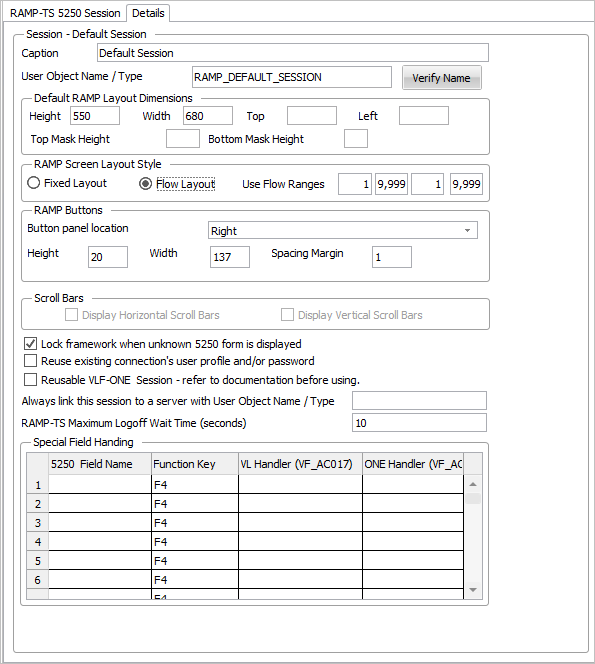

Use the Session Details to specify various settings for your 5250 Application Session:
Caption | The caption of the RAMP 5250 Application Session. | ||||||||||||||||
User Object Name / Type | See User Object Name / Type in the Framework Guide. | ||||||||||||||||
Default RAMP Layout | Height - The default height of 5250 screens when displayed in the Framework.
| ||||||||||||||||
RAMP Screen Layout Style | Fixed means the RAMP screens are not resized to fit into the space available to display them.
| ||||||||||||||||
RAMP Buttons | Button panel location
The sizing of the buttons will depend on which variant of Top and Bottom you choose. | ||||||||||||||||
Height This is the button height in pixels. The default is 20 pixels. Width This is the button Width in pixels. The default is 137 pixels. This is used as the button width for all button panel locations EXCEPT the Share Space button panel locations. In this case the button width become the maximum button width. Spacing Margin This is the margin in pixels assigned to each button, between buttons. So the spacing distance between two buttons will be twice the spacing margin. The default spacing margin is 1 pixel, so the default spacing distance between buttons will be 2 pixels. |
Scroll Bars | If the Display Horizontal Scroll Bars option is checked, VLF.WIN applications will display horizontal scroll bars when a Fixed size 5250 screen will not fit in the display area. VLF-WEB/NET applications always act as if the Display Horizontal Scroll Bars option is checked. |
Lock Framework when unknown 5250 form is displayed | This option applies a lock to the Framework when an unknown 5250 screen is encountered. |
Reuse existing connections user profile and/or password | Use this option to indicate that when this 5250 application session needs to connect to a server it should reuse the same user profile and/or password details as were used to establish the last successful server connection. |
Reusable VLF-ONE Session | The default VLF-ONE behaviour is to always open a new RAMP session when one is required. When you close the associated business object the RAMP session is terminated.
|
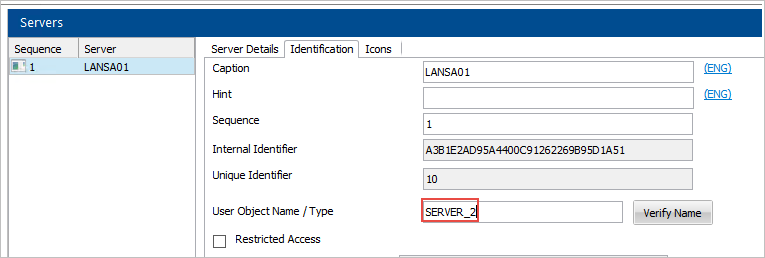
Always link this session to a server with User Object Name / Type | Normally when a user needs to connect a 5250 application session they will be asked to choose which server they want to connect to.
|
RAMP-TS Maximum Logoff Wait Time (seconds) | When a RAMP-TS session needs to be logged off (signed off) this values specifies in seconds the maximum time that the framework should wait for asynchronous time log off operation to complete. The default value is 10 seconds. Specify any integral value in the range 0 to 120. The value is in seconds. |
Special Field Handling | Advanced prompting facility for fields. |