1. Click on Edit Screen in the aXes Designer window.
2. Select the State and Country field on the DisplayEmployee screen.
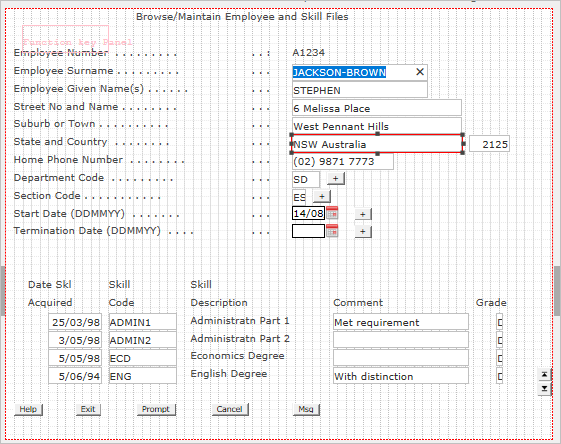
3. In aXes Designer, delete the default visualization of the field:
In this step you will make the State and Country field a drop-down which shows states in the US. The data for the drop-down comes from a static table which is shipped with aXes eXtensions.
1. Click on Edit Screen in the aXes Designer window.
2. Select the State and Country field on the DisplayEmployee screen.
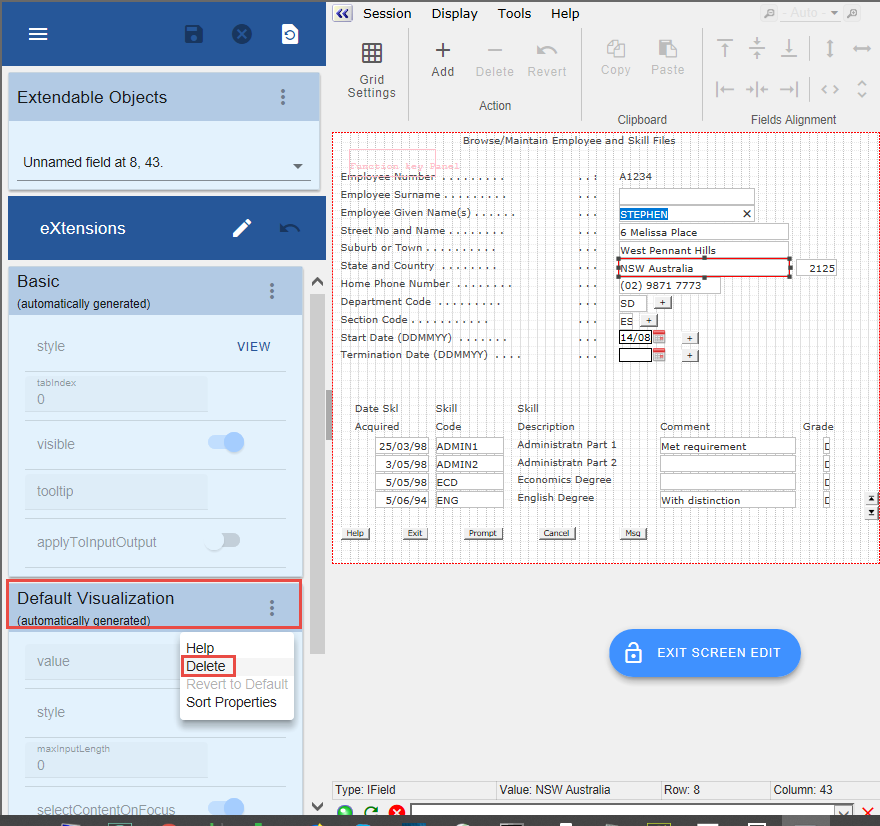
3. In aXes Designer, delete the default visualization of the field:
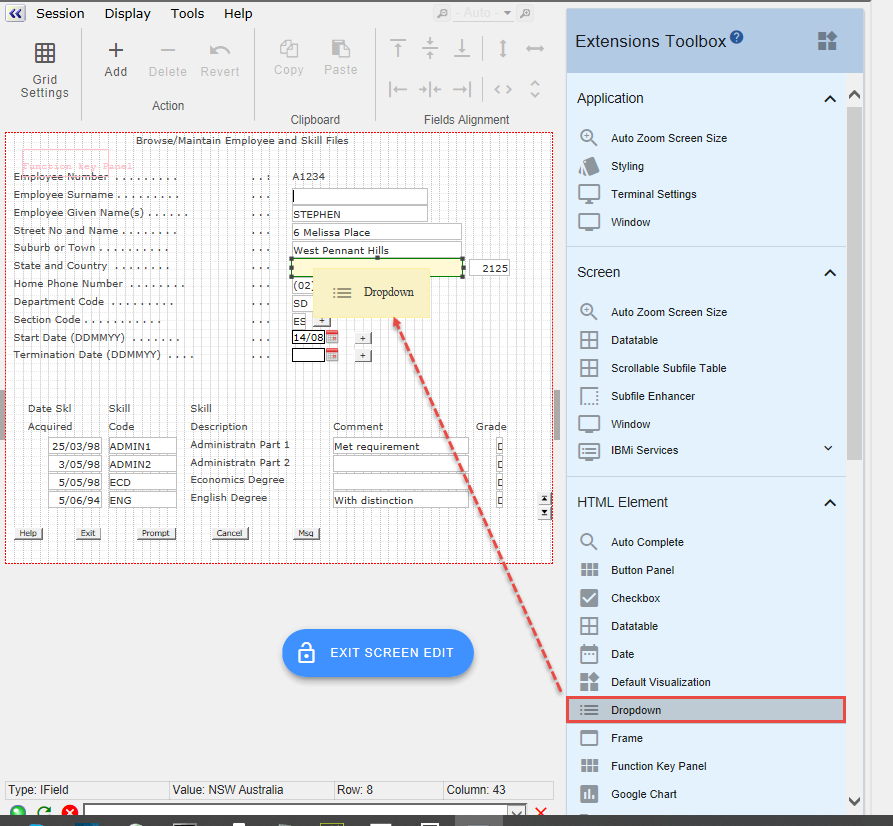
4. Drag a Dropdown and drop it on the field:
The default visualization of the field is now Dropdown:
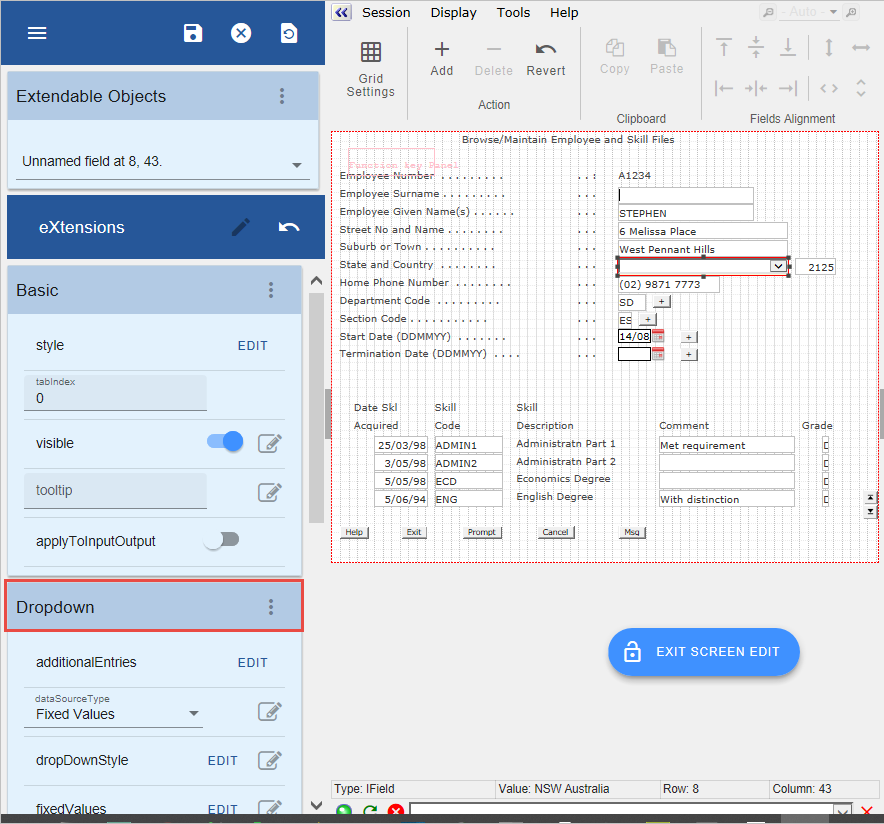
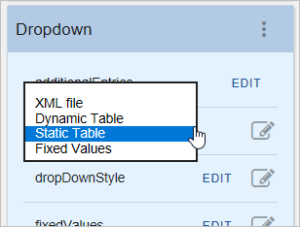
5. Change the dataSourceType of the drop-down to Static Table.
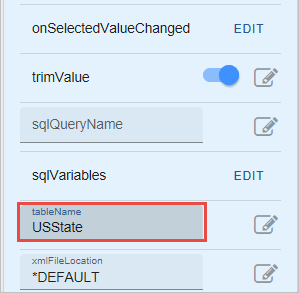
6. Specify USState as the tableName.
7. Save the screen customization.
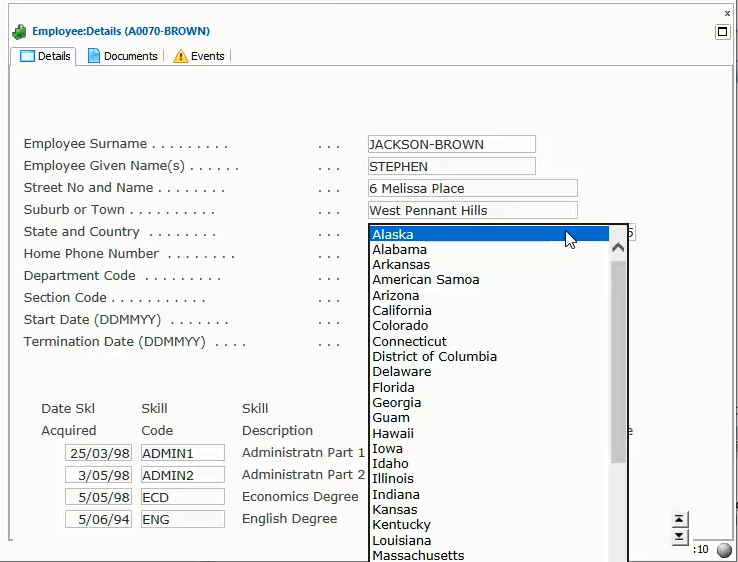
8. Execute the Framework as a VLF-WIN application, as Designer, to test the drop-down:
You can set the values displayed in the drop-down also by entering fixed values or by using a dynamic table. The aXes tutorials contain detailed information about how to do this.