Drag and drop operations are used to move or copy objects from one place to another.
A drag and drop operation starts when you select an object with the mouse by clicking the left mouse button. Then you drag the object with the mouse holding the left mouse button down, and finally drop the object by releasing the left mouse button.
A drag and drop operation consists of four events:
- StartDrag
- DragOver
- DragDrop
- EndDrag
The object being dragged and dropped is the Payload.
To enable LANSA controls to accept file paths from Windows Explorer during drag over and drag drop events, enable the following property on Sys_Appln in (for example) #com_owner.Initialize. #SYS_APPLN.AllowWindowsDragDrop := True
When dragging files, the Payload parameter of the event handlers contains a component interface of type #PRIM_APPL.IDragDropFilePaths.
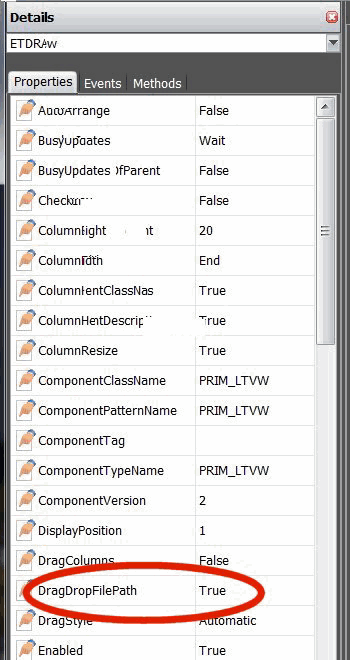
The interface exposes two methods:
FileCount | to ascertain the number of files being dragged |
FilePath<index> | to obtain the file path at position index |
Following is an example of how this functionality can be used to allow a ListView control to obtain a list of file paths being drag-dropped on it.
Create a new form and replace its source with the following code.
- **************************************************
*
* COMPONENT: STD_FORM
* - **************************************************
Function Options(*DIRECT)
Begin_Com Role(*EXTENDS #PRIM_FORM) Clientheight(374) Clientwidth(449) Dragstyle(Aggregated) Height(410) Left(513) Top(151) Width(465)
Define_Com Class(#PRIM_LTVW) Name(#ListView) Columnbuttonheight(20) Componentversion(2) Displayposition(1) Dragstyle(Automatic) Enforceminimumsize(True) Fullrowselect(True) Height(289) Keyboardpositioning(SortColumn) Left(16) Parent(#COM_OWNER) Showsortarrow(True) Tabposition(1) Top(8) Width(420)
Define_Com Class(#PRIM_LVCL) Name(#LVCL_1) Caption('Items') Captiontype(Caption) Displayposition(1) Minimumwidth(10) Parent(#ListView) Source(#STD_NUM) Width(10)
Define_Com Class(#PRIM_LVCL) Name(#LVCL_2) Caption('File Path') Captiontype(Caption) Displayposition(2) Minimumwidth(10) Parent(#ListView) Source(#VF_INSDTA) Width(93)
- Initialisation
Evtroutine Handling(#com_owner.Initialize)
#SYS_APPLN.AllowWindowsDragDrop := True
Set Com(#com_owner) Caption(*component_desc)
Endroutine
Evtroutine Handling(#ListView.DragOver) Options(*NOCLEARMESSAGES *NOCLEARERRORS) Payload(#draggedData) Acceptdrop(#acceptDrop) Dragstate(#dragState)
If (#dragState *NE Exit)
If (#draggedData *Is #PRIM_APPL.IDragDropFilePaths)
#STD_NUM := (#draggedData *As #PRIM_APPL.IDragDropFilePaths).FileCount
#VF_INSDTA := ''
Clr_List Named(#ListView)
Add_Entry To_List(#ListView)
#acceptDrop := True
Endif
Endif
Endroutine
Evtroutine Handling(#ListView.DragDrop) Options(*NOCLEARMESSAGES *NOCLEARERRORS) Payload(#draggedData)
Clr_List Named(#ListView)
If (#draggedData *Is #PRIM_APPL.IDragDropFilePaths)
Define Field(#NumFiles) Reffld(#STD_NUM)
#NumFiles := (#draggedData *As #PRIM_APPL.IDragDropFilePaths).FileCount
#STD_NUM := 1
Dowhile Cond(#STD_NUM <= #NumFiles)
#VF_INSDTA := (#draggedData *As #PRIM_APPL.IDragDropFilePaths).FilePath<#STD_NUM>
Add_Entry To_List(#ListView)
#STD_NUM += 1
Endwhile
Endif
Endroutine
End_Com
Select files using Windows Explorer. Drag them over the ListView to see a count of the files selected appearing in the "Items" column. Drop them onto the ListView to see the file paths displayed in the second column.
Warning: Be aware of the code in the DragOver event handler that checks the drag state. After the DragDrop completes, another DragOver event is raised, with the dragState set to Exit. This allows the control to perform any final processing required at the completion of the drag.
Also see
2.23.1 Payload
2.23.2 Example 1: Move Employees in a Tree
2.23.3 Example 2: Move Employees between Two Forms