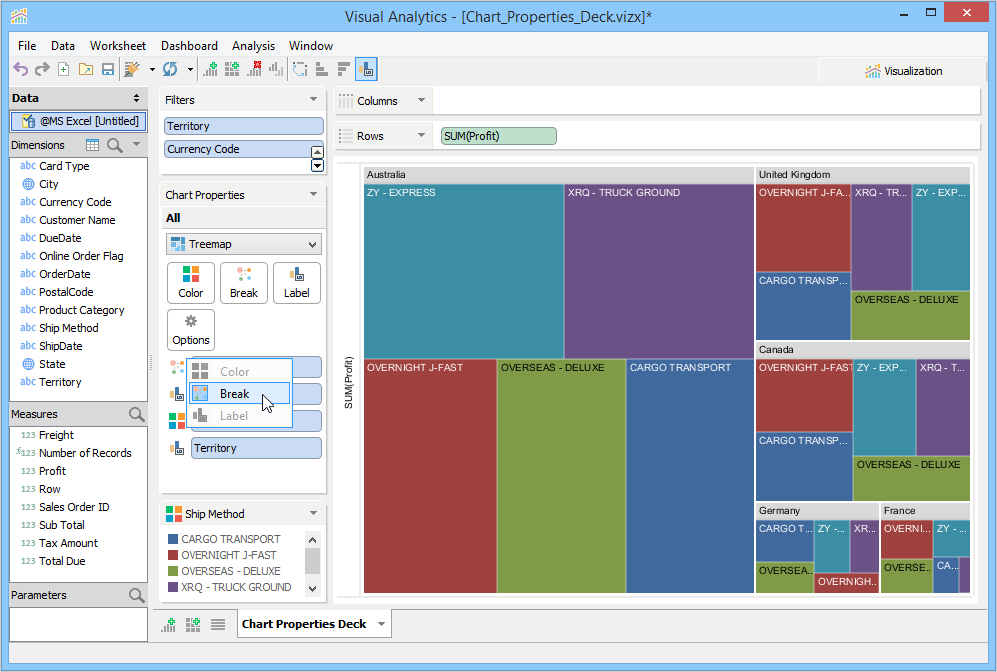
The Chart Properties Deck controls the chart in the Chart View. You can modify a chart's Chart Type, Color, fonts, and other Chart Properties by using the controls in the Chart Properties deck.
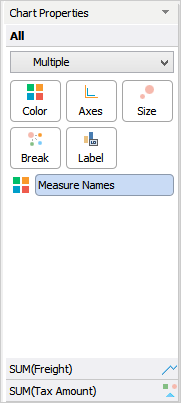
Chart Properties Type
Chart Properties Axes
Chart Properties Color
Chart Properties Label
Chart Type
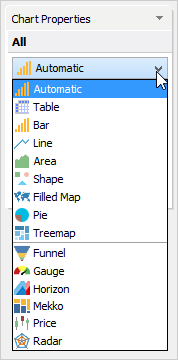
The Chart Properties Type drop-down allows setting the type of chart generated in the view. By default, Automatic is selected. Automatic determines the optimal type to display based on what is detected in the Columns and Rows decks. The following are available in the Chart Properties Type dropdown:
- Automatic - What Visual Analytics determines is the best chart type based on the items present in the Rows and Columns Decks.
- Table - A standard data table or Pivot Grid.
- Bar - A bar chart with column length or height indicating values.
- Line - A line chart showing data points connected by a line to show how data changes over equal periods of time.
- Area - An Area chart showing quantitative data comparing two or more quantities.
- Shape - A scatter chart for displaying values for two variables for a set of data.
- Filled Map - A powerful geographic visualization of data and displaying how data differs across geographies or a region.
- Pie - A pie chart divided into sectors illustrating numerical proportion.
- Treemap - A treemap chart for showing hierarchical data by representing it as nested rectangles. The size and color of Treemap rectangles represent values.
- Funnel - A funnel chart specifies levels, which follow one another in a sequence, and shows a progressive reduction of data and bottlenecks in pipelines.
- Gauge - A gauge chart is a speedometer chart used to highlight key performance indicators for business.
- Horizon - Time series visualization and comparing trends in data.
- Mekko - A mekko chart utilizes a 100% stacked bar along with varying widths to capture two variables in a single visualization.
- Price - Candlestick, Open, High, Low, Close, and other Stock Chart types.
- Radar - A radar chart is most effective when you want to view several different factors related to one area in one holistic view.
See the Building Views section for more on how to create each of these Chart Types.
Right-clicking on the fields listed at the bottom of the Chart Properties Accordion allows you to see their individual Property Type and what role they play in the visualization.