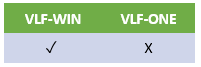
For VLF-ONE programs see In VLF-ONE Adding Children is Simpler
In VLF-WIN setting up the key structures for parent-child relationships can be simplified by filling in a table like this.
Here a SECTION may contain EMPLOYEEs.
An EMPLOYEE may have associated SKILLs.
An EMPLOYEE may have associated DOCUMENTs.
| BO | ROLE | AKey1 | NKey1 | AKey2 | NKey2 | AKey3 | NKey3 | AKey4 | NKey4 | AKey5 | NKey5 |
|---|---|---|---|---|---|---|---|---|---|---|---|
SECTION | PARENT | #DEPTMENT | Implicitly used by parent | #SECTION | Free for children to use | Free for children to use | Free for children to use | Free for children to use | Free for children to use | Free for children to use | Free for children to use |
EMPLOYEE | CHILD (of SECTION) | Must be same as parent's #DEPARTMENT value | Implicitly used by parent - so must have same default value. | Must be same as parent's #SECTION value | Implicitly used this by child | #EMPNO – should make this child unique within this DEPARTMENT and SECTION | Free for children to use | Free for children to use | Free for children to use | Free for children to use | Free for children to use |
SKILL | CHILD (of EMPLOYEE) GRANDCHILD (of SECTION) | Must be same as parent and grandparent's #DEPARTMENT value | Implicitly used by parent and grandparent - so must have same default value. | Must be same as parent and grandparent's #SECTION value | Implicitly used by parent - so must have same default value. | Must be same as parent's #EMPNO value | Implicitly used by this child | #SKILLCODE – should make this employee's skill unique within this DEPARTMENT and SECTION and EMPLOYEE | Free for children to use | Free for children to use | Free for children to use |
DOCUMENT | CHILD (of EMPLOYEE) GRANDCHILD (of SECTION) | Must be same as parent and grandparent's #DEPARTMENT value | Implicitly used by parent and grandparent - so must have same default value. | Must be same as parent and grandparent's #SECTION value | Implicitly used by parent - so must have same default value. | Must be same as parent's #EMPNO value | #DOCNUMBER – should make this employee's document unique within this DEPARTMENT and SECTION and EMPLOYEE | Free for children to use | Free for children to use | Free for children to use | Free for children to use |
The parent-child association rules that you must follow are:
You might also consider condensing key structures when your theoretical planning is finished – the keys are programmatic and not visible to end-users.
For example: by choosing #DEPTMENT + “-“ + #SECTION as the AKey1 value in the table above you could condense it towards the left by two columns - freeing up a considerable amount of key space.