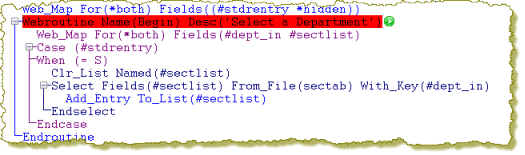
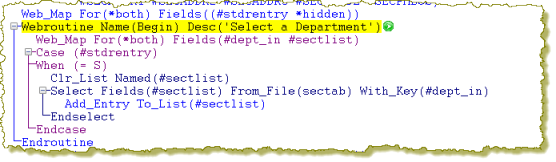
WebRoutine name(Begin) statement. To set the breakpoint, select the line and then use F9 or use the context mouse menu option Set As Breakpoint option. Breakpoint lines are highlighted in red.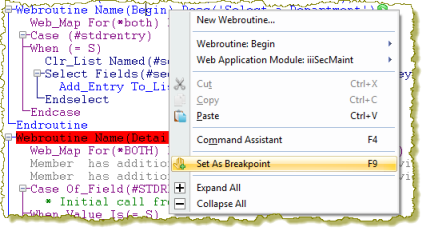
Your source code should now look like the following:
 Run in Debug button on the Home ribbon, or use the Verify / Debug menu option from the Toolbar Menu button: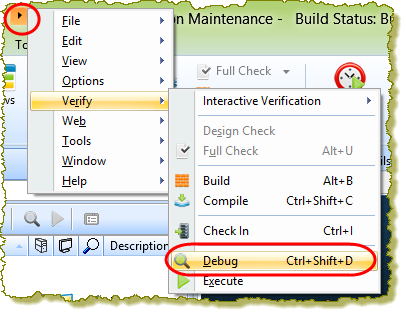
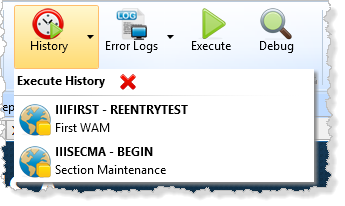
Note: You can use the History button on the Home ribbon, to run a WAM/WebRoutine executed earlier. |
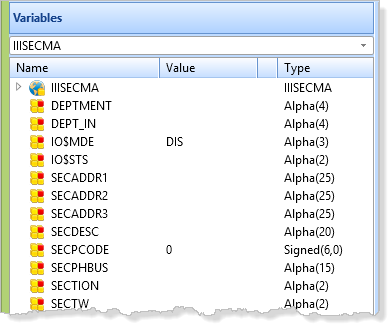
Note: in debug, program variables are shown on the Variables tab, in the left hand side pane, including working lists. |
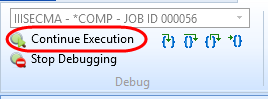
A Debug ribbon is shown at the top of the editor:
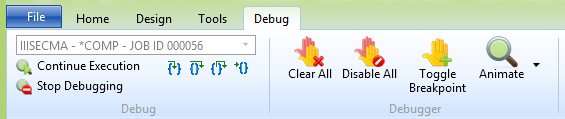
- Use the Continue Execution button or F5, to run straight through this WebRoutine.
The initial page will be displayed in the web browser.
- Start typing into the department code input box and notice that debug stops at the AutoComplete WebRoutine:
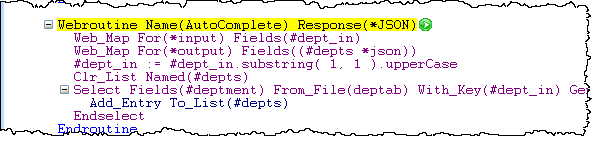
This happened because Debug has a general setting to Break at first executable statement. To check this, select Editor Settings on the File menu: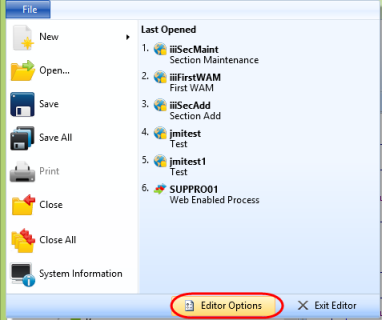
- Select the Debug icon.
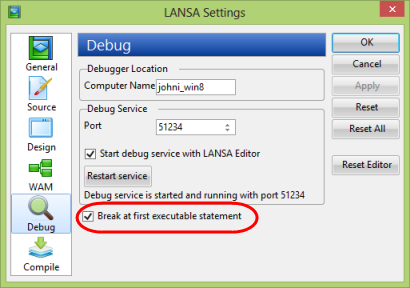
- Uncheck the Break at first executable statement setting and click OK. Press F5 to continue running the WAM.
- With a valid department such as ADM or AUD entered, click the Select button. Focus will return to the WebRoutine statement for Begin in the editor and it will be highlighted in yellow as before.
 Use the Step Into button or F8, to step through the WebRoutine one line at a time. If necessary use F5 to run through to the end of the Begin WebRoutine.
 Use the Run to Cursor button to run all code up to the cursor position. To try this, press F5 to run through to the end of the WebRoutine. Enter a department code and click the Select button. In the Editor, position the cursor on the following statement in the Begin WebRoutine. Click the Run to Cursor button. You should run all code up to the SELECT statement and then stop.
SELECT FIELDS(#sec_list) FROM_FILE(sectab) WITH_KEY(#deptment)
 Use the Step Out button to run the code up to next breakpoint. In the editor set the SELECT statement to be a breakpoint and run the Begin WebRoutine again. Now use the Step Out button to execute the routine up to the SELECT statement. You could also have used the F5 key to achieve this. Use F8 to run around the SELECT loop. Notice the changing values of the variables shown in the Variable tab. That is, the value of variables DEPTMENT, SECTION, SECDESC etc. If necessary now use F5 to run to the end of the WebRoutine.
 Use the Step Over button to execute the procedure called by the current line and break at the line following the current line. Step Over is identical to Step Into except when the current statement contains a call to a procedure, Step Over executes this procedure as a unit and then steps to the next statement in the current procedure.
 Use the Toggle Breakpoint button on the Debug ribbon. In the web browser, enter a department code and click the Select button. In the LANSA Editor, clear the breakpoint on the SELECT statement. To do this, select the SELECT line, and use the F9 key, or the Toggle Breakpoint button on the Debug ribbon to clear this breakpoint.
ADD_ENTRY TO_LIST(#sec_list)
Use the right mouse menu and select
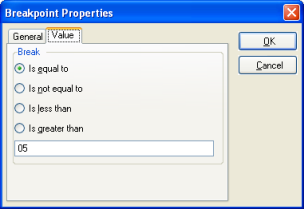
 Breakpoint Properties, and set the pass count to 3 and press OK.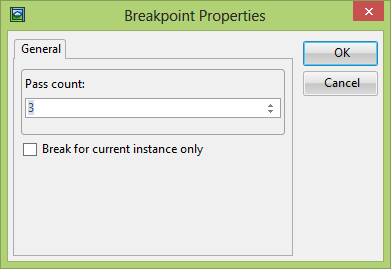
- Press F5 twice to run to the end of the WebRoutine.
- When focus returns to the LANSA Editor, expand the SECT_LIST entry in the Variables tab.
Note: The list SECT_LIST contain 2 entries currently.
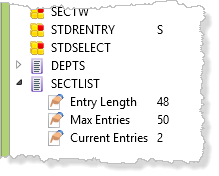
- Also notice the Breakpoint tab shows a passcount of 3 for this breakpoint. i.e. the ADD_ENTRY statement is about to be executed for the third time.
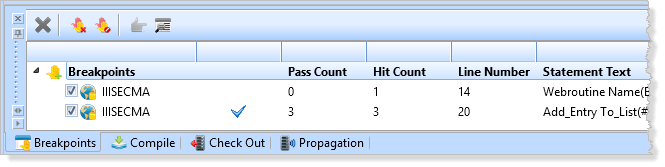
If the Breakpoints tab is not visible, select it from the Home ribbon / Views gallery.
 - Press F5 to continue running. Note that each time the program breaks, 2 more entries have been added to the list (the third entry is about to be added).