Before You Begin
- Start the Visual LANSA Framework (VLF) from the VL Framework group on the Tools ribbon.
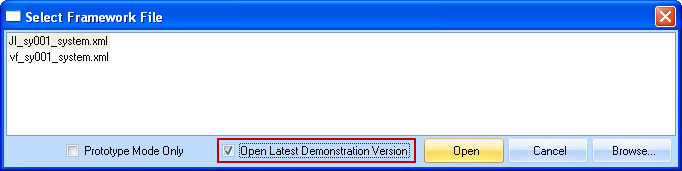
If this is the first time VLF has been run, the shipped framework (vf_sy0001_system.xml) will be run by default. If necessary, in the following dialog select the Open Latest Demonstration Version checkbox to select the latest shipped framework:
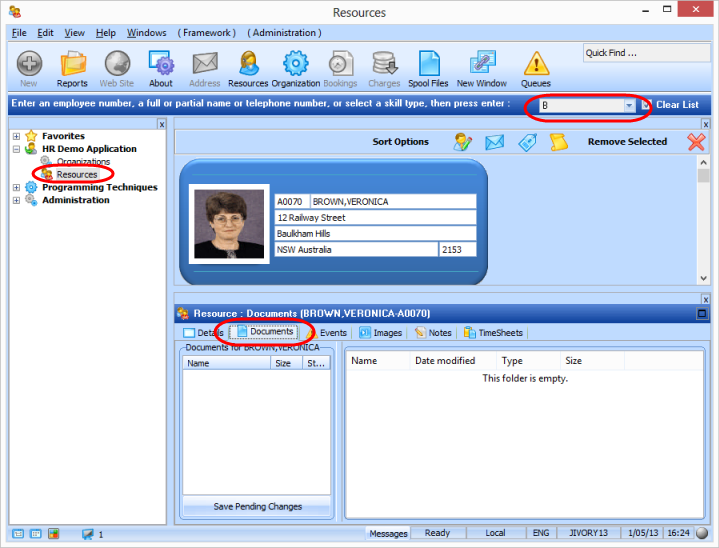
- Select the HR Demo Application and then select the Resources business object. Enter B in the mini filter in the toolbar and press Enter to display employees in the Instance list. Select employee BROWN, VERONICA, A0070.
Select the Documents tab for this employee.
- Open Windows Explorer and navigate to folder
c:\Program Files\LANSA. Drag the sample files (types: doc, txt, ppt, xls and pdf) into the right hand Documents panel as shown:
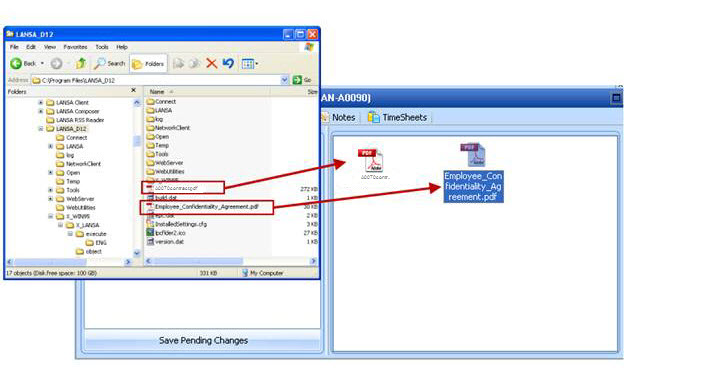
- Select the Save Pending Changes button to save the documents to the file DXDOCS.