If you select the option to generate data; instead of collecting actual data, you will generate representative data. Select the warning acceptance checkbox and click Next to continue.

Enter the following details:
Fields | Description |
|---|---|
Populate from template | Click to Select data characteristics template. |
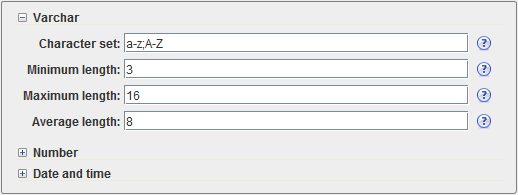
Varchar | Expand to define the characteristics for data of type varchar. |
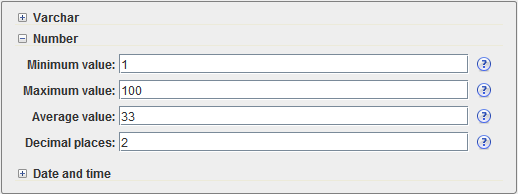
Number | Expand to define the characteristics for data of type number. |
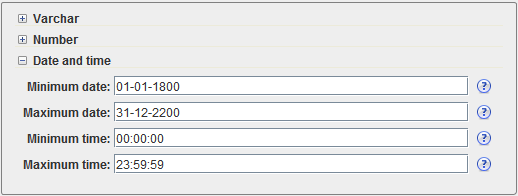
Date and time | Expand to define the characteristics of data of type date and time. |
Minimum null% | This field allows you to specify the minimum percentage of null values. |
Maximum null% | This field allows you to specify the maximum percentage of null values. |
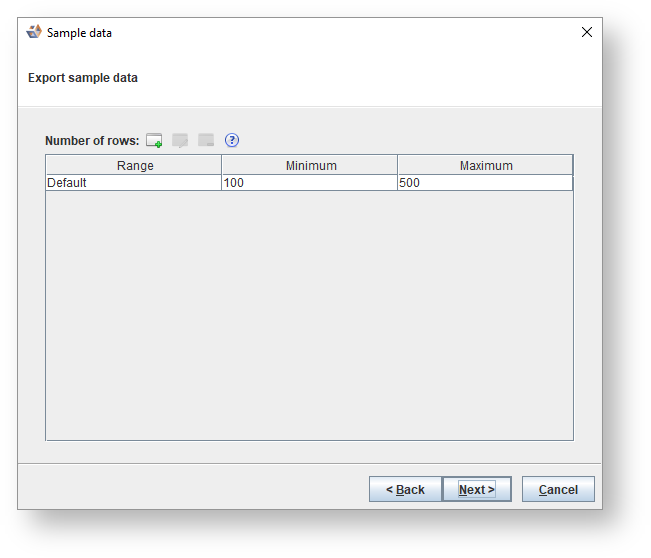
Icons | Description |
|---|---|
| Click to Create range. |
| Select a range and click to Edit range. |
| Select a range and click to Delete range. |

Enter the following details:
Icons | Description |
|---|---|
Delimited | Choose between delimited and fixed width. |
Column delimiter | Select one of the following from the drop-down list:
|
Record delimiter | Select one of the following from the drop-down list:
|
Apply escape characters | Apply escape characters to values defined by RFC 4180. Any " in a value is substituted by "". If the value contains a comma, carriage return or line feed the value is encapsulated in double quotes. |
Size escape characters | Consider escape characters as part of the value, hence limiting the maximum length of the generated value. This is for instance required for MS SQL Server bulk load. |
Export folder | Each entity becomes a CSV file with a name reflecting the entity. |