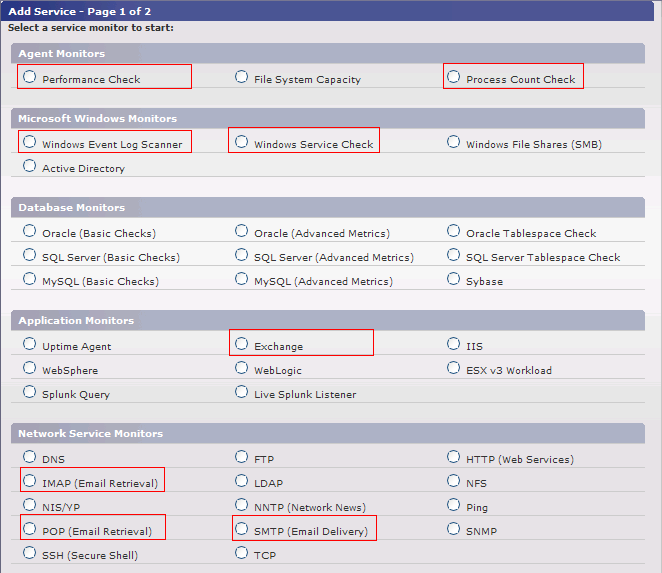
The most critical component of any application is the network that surrounds it. To ensure that your network is available and running smoothly, we suggest monitoring the following components around your Exchange server:
In this section we will review the monitors that are generally recommended to fully monitor your services.
We recommend using the service monitors listed below to monitor the internal application performance of your Exchange Server.
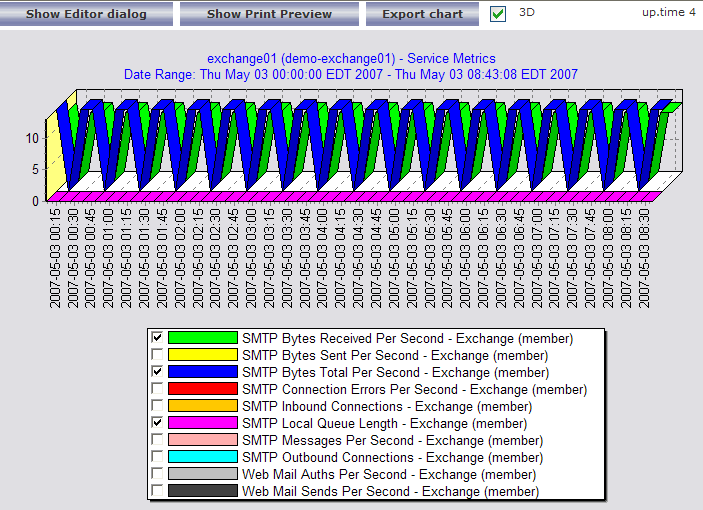
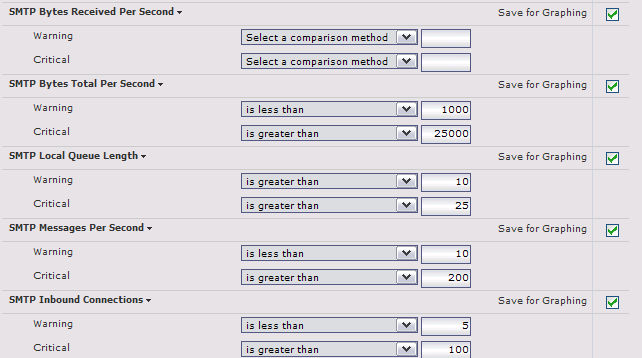
Many thresholds within the Exchange service monitor will depend on the size and usage of your Exchange server. We suggest enabling the Save for Graphing option on each statistic and then letting the monitor collect data for 2 to 3 days. After that time, review the collected data to see how each statistic has trended over time, and pick thresholds that seem appropriate to your installation. |

| Windows Service Name | Application |
|---|---|
| Microsoft Exchange Event | Exchange Event Controller |
| Microsoft Exchange IMAP4 | IMAP Email Service |
| Microsoft Exchange Information Store | Primary mailbox store service |
| Microsoft Exchange Management | Exchange WMI Management Interface |
| Microsoft Exchange MTA Stacks | Provides Exchange X.400 services |
| Microsoft Exchange POP3 | Provides POP version 3 services |
| Microsoft Exchange Routing Engine | Mail Topological Routing Information Service |
| Microsoft Exchange Site Replication Service | Replicated Mail Server Synchronization Service |
| Microsoft Exchange System Attendant | Exchange Maintenance Service |
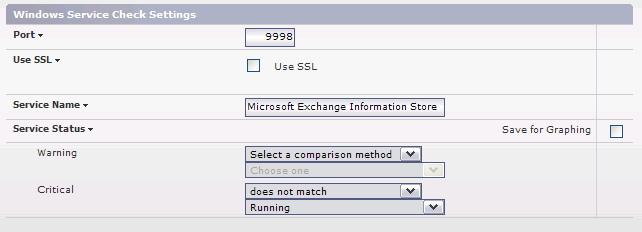
An example Windows Service Check monitor for the Microsoft Exchange Information Store is provided below. We recommend creating a similar service monitor for each of the Windows services above.
| Process Name | Application | Details |
|---|---|---|
| store | Exchange Event Controller | '.exe' not required for Windows Processes |
| exmgmt | Exchange Management Service | '.exe' not required for Windows Processes |
| mad | General Exchange Service Process | '.exe' not required for Windows Processes |
Here are some example settings to check for the store.exe process: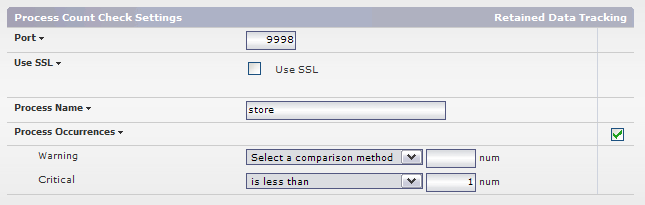
| Log Type | Source Name | Event Type |
|---|---|---|
| Application | MSExchangeAL | Error |
| Application | MSExchangeIS | Error |
| Application | MSExchangeSA | Error |
| Application | MSExchangeTransport | Error |
| Application | POP3Svc | Error |
Here are some example settings to check for error messages from the MsExchangeAL source: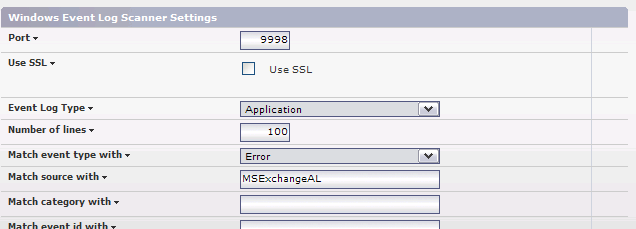
Don't forget the value of monitoring the server that is hosting your Exchange Mail Services. Monitoring and alerting on the performance of your servers will be critical to ensure that you maintain server availability and meet capacity demands. Monitoring key performance indicators such as CPU Usage, Disk I/O, Network I/O and Memory usage is essential to ensure your servers are running properly.
Now that you are monitoring your Exchange Server, it is time to move on to one of these next steps:
The following service monitors were used in the monitoring example: