Unlike a RDBMS connection, only Generic discovery is available for discovering a file connection. However, you may need to adjust the file parser settings. You can access this from the model or version Properties or when creating the model version. For more information about this dialog, refer to Creating a New Model Version.
To view the file discovery settings...
- Click on the Filter options button.

- Choose whether the file discovery process should include files in sub directories and optionally how deep through the directory tree to traverse.

- Add any relevant filters.
- Include file(s) - Use wild card syntax to include just the required files. WhereScape 3D defaults this field to %, that is include all files.
- Exclude file(s) - Use wild card syntax to exclude just files not required. WhereScape 3D defaults this field to unset, that is do not exclude any files.
- To limit the number of rows of each file that will be processed set that value in Limit rows for processing. To have no limit, set the value to 0.
- Files can be parsed as either CSV, XML or JSON. Click Set CSV parser, Set XML parser , or Set JSON parser to set the parser to the respective format.
- In the dialog that appears, browse for a file with a format that is representative of the files to be discovered and click OK.

- If you chose the CSV parser, the next dialog allows you to set up the file parser. The available settings are in the top section with the middle text area showing the actual text of the file you chose, and the bottom table showing the result of applying the current parser settings to the file.
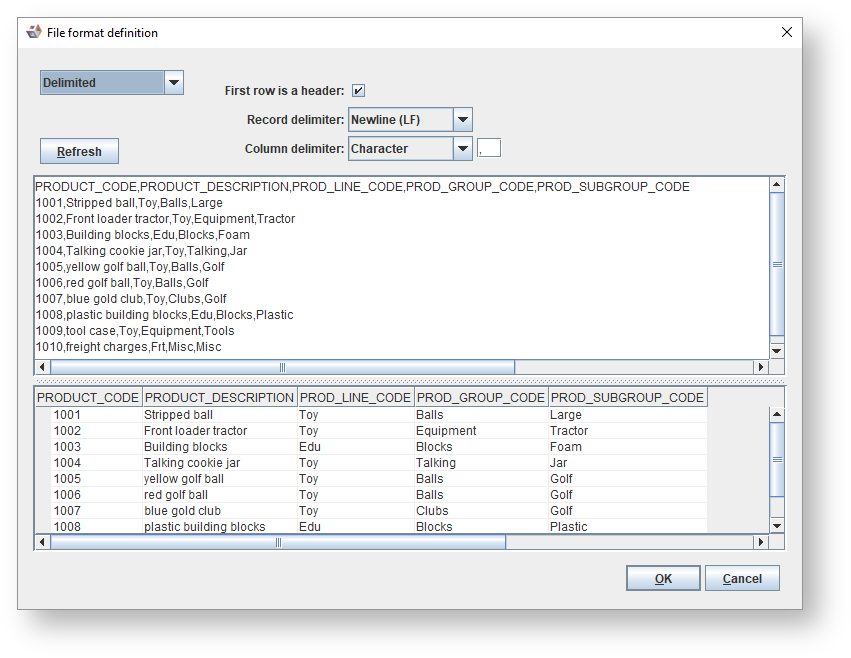
- The CSV parser can be configured to detect either Delimited or Fixed width columns.

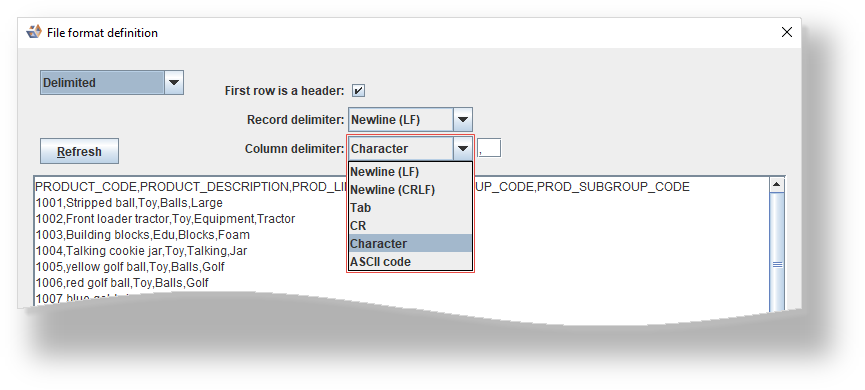
When Delimited is selected, the Column delimiter settings are available allowing you to select the character used to delimit columns in the files:
- Newline (LF) uses the line feed character (Unix/Linux style line breaks).
- Newline (CRLF) uses the carriage return - line feed character sequence (Windows style line breaks)
- Tab uses the ASCII tab character e.g. for tab-separated value files.
- CR uses the ASCII carriage return character.
- Character uses the ASCII character(s) specified in the adjacent text box.
- ASCII code uses the character represented by the decimal ASCII code specified in the adjacent text box.
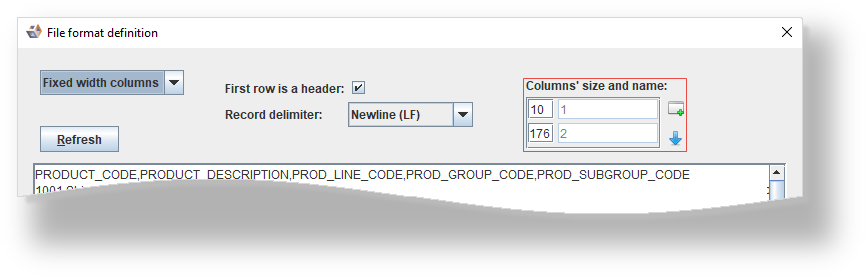
When Fixed width columns is selected, the Columns' size and name settings are available allowing you to set the widths of each column and, if First row is a header is unchecked, their names.
- To add a new column, click the Add column button
 .
. - To preview the current column settings on the selected file, click the Apply button
 .
.
- The other available options are the same whether Delimited or Fixed width columns is selected.
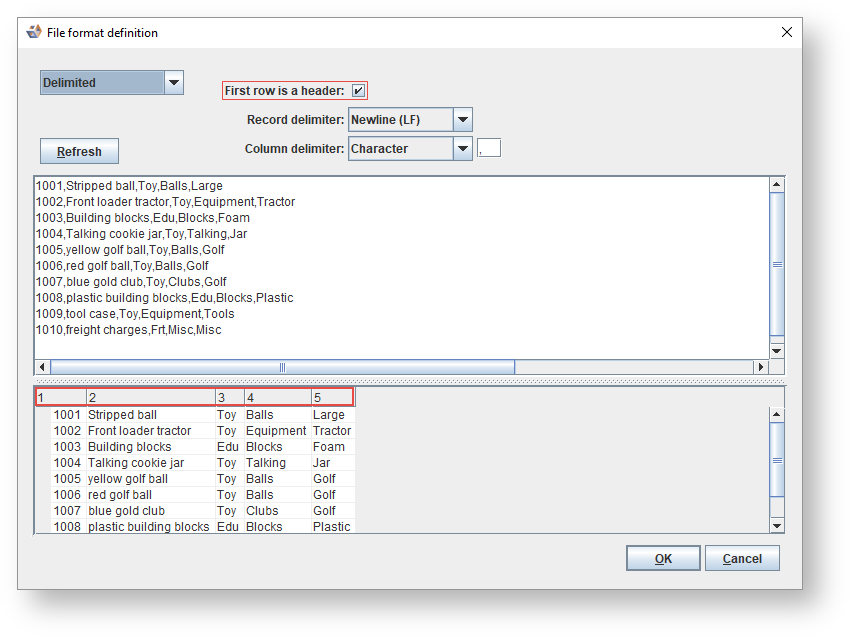
- If the first line of the file contains the column names, checking First row is a header will use them and assume that the column data starts on the second line.
- Otherwise if it is unchecked, column names will be generated and all lines are assumed to contain column data.
- Each row of data is considered to be delimited by the Record delimiter. The options are the same as for the Column delimiter.

- To see the results of your parser settings on the sample file displayed in the table click Refresh.
- To set the parser settings click OK. Note that these settings will not be saved until you click OK on the Advanced discovery settings dialog.