

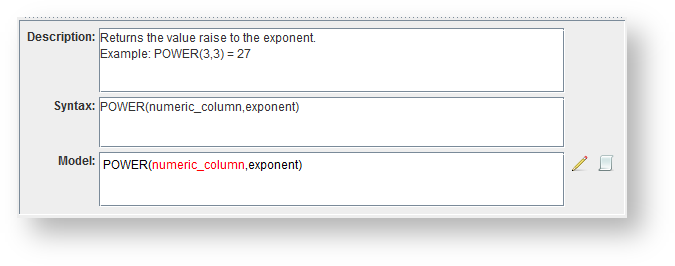
while the bottom right pane displays the details for the selected function:
Icons/ Fields | Description |
|---|---|
Database | |
| Click to Add a database function set. |
| Click to Edit the selected database function set. |
| Click to make a Copy of the selected database function set. |
| Click to Delete the selected database function set. |
| Click to Restore function set files. |
Functions | |
| Click to Add a function within a database function set. |
| Click to Edit the selected function within a database function set. |
| Click to Delete the selected function within a database function set. |
| Click to move the selected function a level Up. |
| Click to move the selected function a level Down. |
Model | |
Description | Enter or edit the description for a function. |
Syntax | Enter or edit the syntax for a function. |
Model | Enter or edit the model for a function. |
| Click to highlight selected text. |
| Click to clear highlight. |


