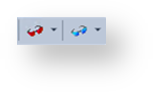
The red button is used to browse the data warehouse connection and the blue button is used to browse a source system connection.
Each button remembers the last connection it browsed, so in this way, one button can be used for the Data Warehouse and one for a source system.
Clicking one of the buttons displays the source tables without first displaying the source browser window. To change the connection, click the down arrow next to one of the browser buttons and then select Change Connection.

The current connection being browsed is shown in the status bar at the bottom right of the screen.