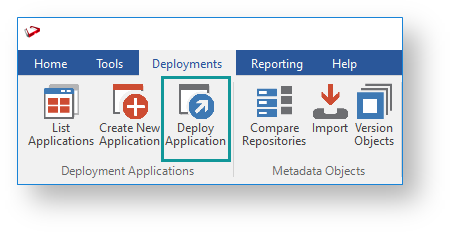
The stand-alone application (RedDeploy.exe) can also be run from the RED Windows Installation directory.
For this example, click Connect to another repository option to proceed or click Current metadata to skip to step 5 below.

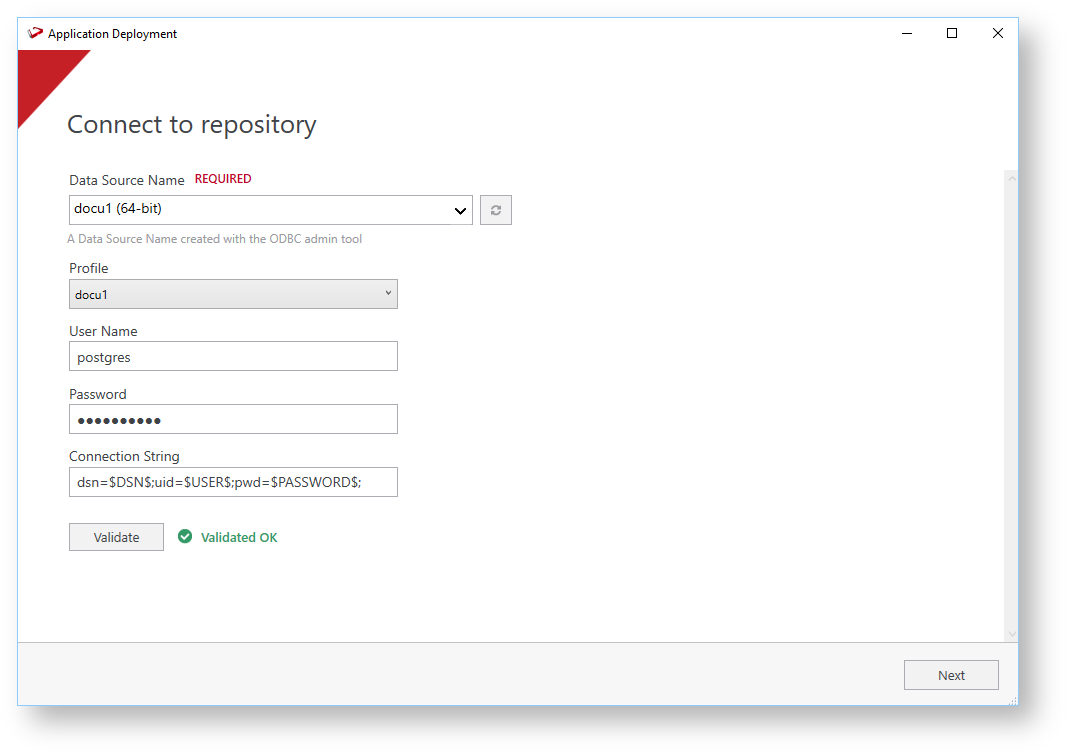
Type in the required metadata connection details:
| Field | Description |
|---|---|
| Data Source Name | The ODBC data source name (DSN) for the metadata repository connection. |
| Username | The log-in user name to connect to the metadata repository connection. |
| Password | The password for the specified user name. |
The validation is performed against the selected data source to ensure:
|

WhereScape recommends upgrading the source repository and recreating the application before deploying to a production system so that the versions match.
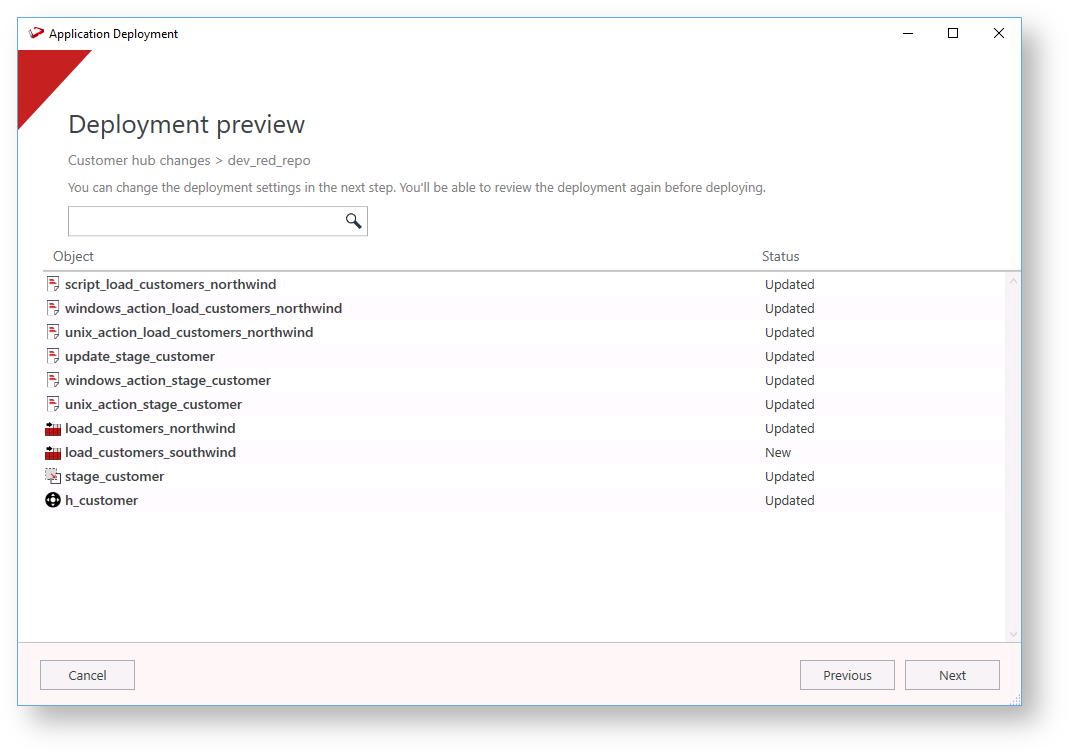
You can use the buttons on top of the right pane to Save, Load, or Reset deployment options.

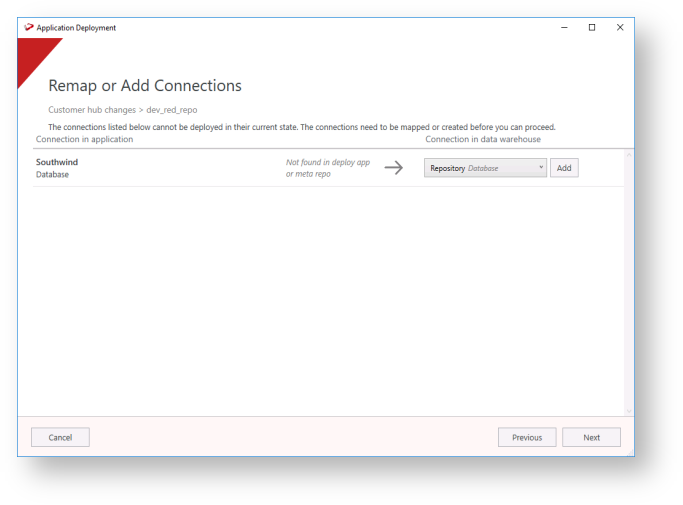
It is advisable to map to an existing connection in RED to achieve the automation, otherwise, after creating a connection make sure to generate the load and update scripts for the object after deployment. |
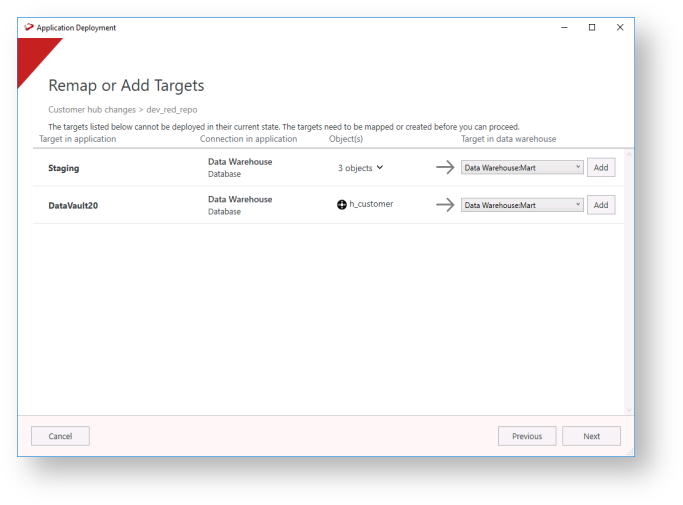
You can add targets on this screen, click Add to open the Add Target wizard.

- Select an existing connection from the drop-down list.
- Add the target schema name and click OK to return to the Remap or Add Targets window.
- After completing your mapping, click Next.
| Note: |
|---|
If any issues are found in the targets used by the deployment application, you need to fix them before you can proceed. Follow the prompts that are displayed to map or add targets. |

If any issues are found in the Tablespaces used by the deployment application, you need to fix them before you can proceed. Follow the prompts that are displayed to remap Tablespaces. |

Click Finish to close the Application Deployment tool.
