Name: iiiDspEmpDocs
Description: Display Employee Documents
Layout Weblet: iiilay01
- Map field STDRENTRY for *both as a *hidden field
- Define a Group_by, EMPDATA for fields EMPNO, SURNAME, GIVENAME, ADDRESS1, ADDRESS2, ADDRESS3, POSTCODE, DEPTMENT and SECTION.
- Define a working list DOCLIST, containing fields DF_ELFNAM and PRIFILRRN.
PRIFILRRN should be a hidden field. - Define a WebRoutine BEGIN
- Map field EMPNO for *both
- Map fields FULLNAME, ADDRESS1, ADDRESS2, ADDRESS3, POSTCODE, DEPTMENT and SECTION and list DOCLIST for *output. These fields should have a display attribute of *output.
- If STDRENTRY = S
- Clear list DOCLIST
- Fetch fields for group_by EMPDATA from file PSLMST with the key EMPNO
- FULLNAME = GIVENAME + ', ' + SURNAME
- Select field DF_ELFNAM from the file DXDOCS with the key 'DEM_ORG_SEC_EMP', DEPTMENT, SECTION, EMPNO and return relative record number to PRIFILRRN
Add entry to DOCLIST
- End of select - End of if
- End of routine
- Define a WebRoutine SEND_DOCUMENT with a Response keyword of #HTTPR
- Map for *input field PRIFILRRN
- Fetch field DX_ELBLOB from the file DXDOCS with the relative record number PRIFILRRN.
- Set #HTTPR property ContentFile to #DXELBLOB.FileName
- End of routine
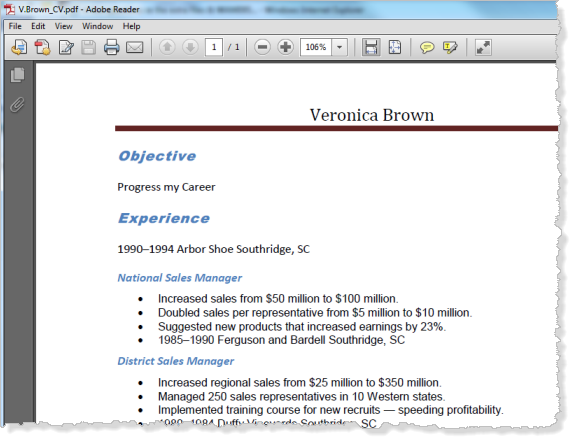
Note: The field DX_ELBLOB returns the file into a local temporary directory, using an 8.3 filename. For example:
C:\DOCUME~1\pcuser\LOCALS~1\Temp\lobuser\pcuser\5152\dxdocs\dx_elblob\contract.pdfThis path may be defined by the LPTH=directory run time parameter. If the LPTH parameter is not defined, the path used will be the TPTH setting. The default value for this path is the user's temporary path, for example:
C:\Users\John\AppData\Local\TempThis can be quickly found using %temp% in the Explorer address bar.
For further information, refer to the X_RUN Parameter Summary in the Technical Reference Guide.
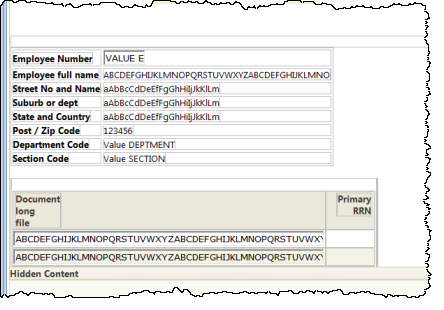
Set up the push button properties:
Property | Value |
|---|---|
Caption |
|
On_click_wrname |
|
submitExtraFields |
|
|
Type in a new the column heading "Employee Documents".
You may need to click somewhere else in the layout, to refresh the column heading with your changes.
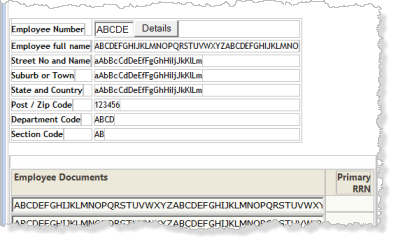
Set up the Anchor weblet properties:
Property | Value |
|---|---|
Currentrowhfield |
|
Currentrownumval |
|
On_click_wrname |
|
Show_in_new_window |
|
Save your changes.
- Enter employee number A0070 and select the Details push button. Your web page should look like the following:
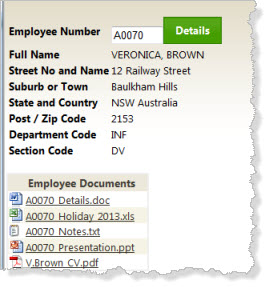
- Select one of the documents shown in the list. The document should be displayed in a new browser window.