SQL Secure supports TLS 1.2 communications protocols.
Windows 8.1, Windows Server 2012 R2, Windows 10, Windows Server 2016, and later versions of Windows natively support TLS 1.2 for client-server communications over WinHTTP.
When having TLS related problems, verify the value of the DefaultSecureProtocols registry setting, for example:
     HKEY_LOCAL_MACHINE\SOFTWARE\Microsoft\Windows\CurrentVersion\Internet Settings\WinHttp\
     DefaultSecureProtocols = (DWORD): 0xAA0
     HKEY_LOCAL_MACHINE\SOFTWARE\Wow6432Node\Microsoft\Windows\CurrentVersion\Internet Settings\WinHttp\
     DefaultSecureProtocols = (DWORD): 0xAA0
| Go to How to enable TLS 1.2 on clients for more information. |
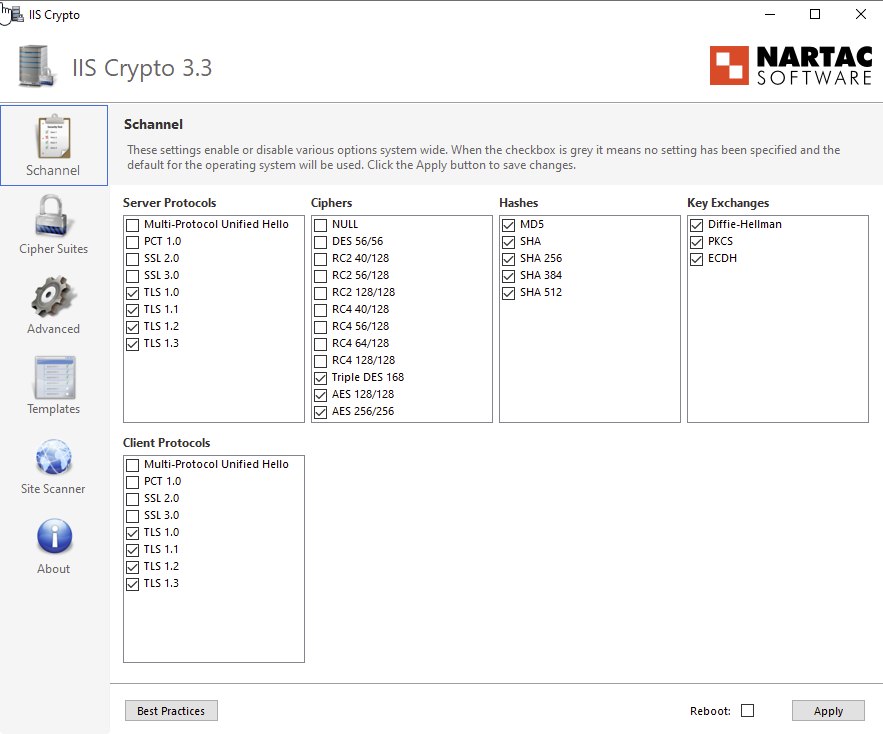
As an alternative to manually change the registry keys, download and use a third party application called IISCrypto.
This allows setting the Schannel best practices.
|