The SQL DM for MySQL API allows users to retrieve monitor and chart values programmatically. The API supports fetching current, delta, and historical data.
Base URL
http://127.0.0.1:5555/
Authentication
All API requests need authentication using the following parameters:
_user: It may be sqldm user, LDAP user or LDAP Group user. In case no user is supplied, admin account is used by default._password: The password for the specified _user.
API Endpoints
Description:Retrieves all enabled monitors' values. Endpoint:_object=MONyogAPI&_action=GetAllMonitorsValues&_user=[sqldm user name]&_password=[sqldm user password]&_server=[server_name]&_type=[current/delta/history]&_starttime=[timestamp]&_endtime=[timestamp]
Request Parameters:_server: Server name_type: current, delta, or history_starttime & _endtime: Required if _type=history (Start time & end time in UNIX timestamp format)
Example Call:$ curl "http://127.0.0.1:5555/?_object=MONyogAPI&_action=GetAllMonitorsValues&_user=admin&_password=Test@123&_server=testServer1&_type=current" |
|
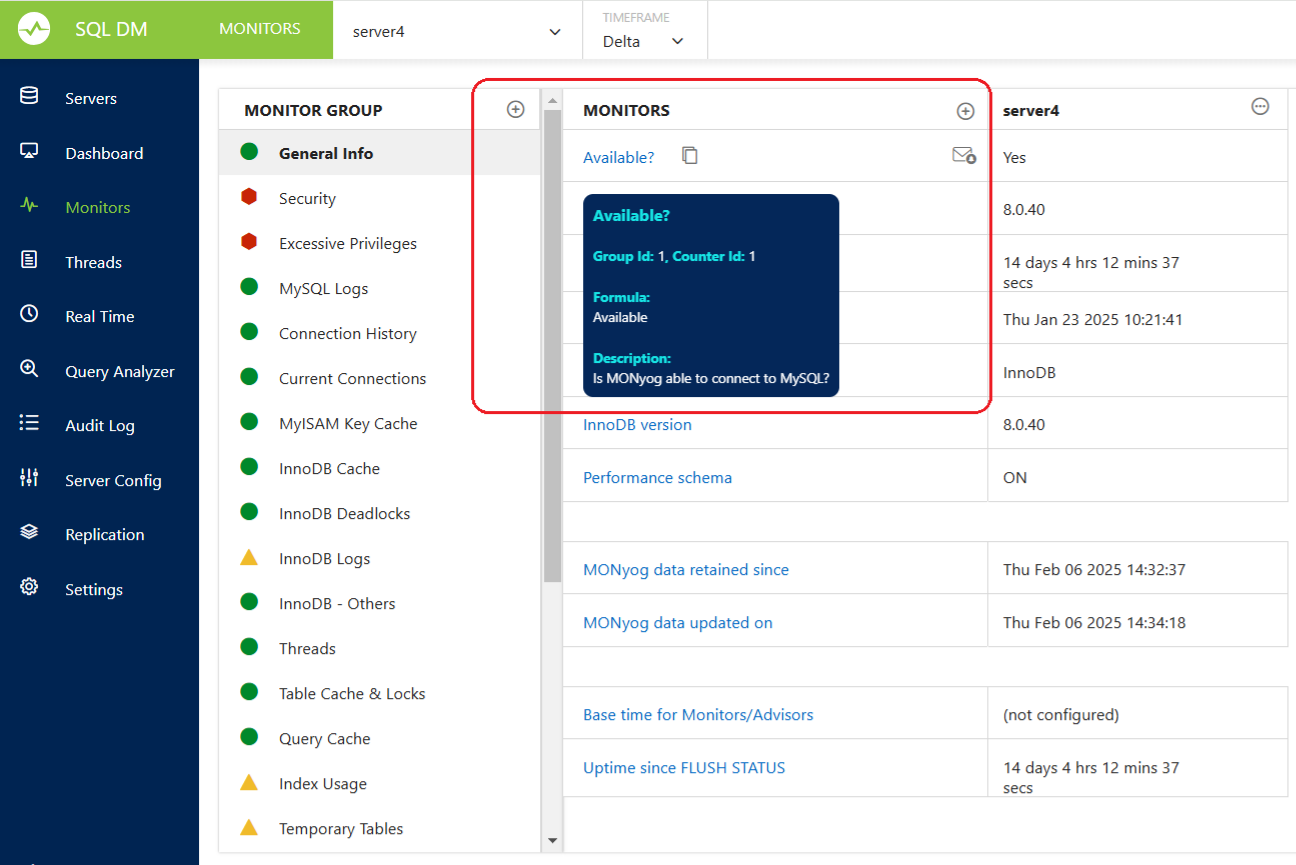
Description:Fetches the value of a specific monitor. Endpoint:_object=MONyogAPI&_action=GetMonitorValue&_user=[sqldm user name]&_password=[sqldm user password]&_server=[server_name]&_group_id=[group_id]&_counter_id=[counter_id]&_type=[current/delta/history]&_starttime=[timestamp]&_endtime=[timestamp]
Request Parameters:_server: Server name_group_id: Monitor’s group ID_counter_id: Monitor’s counter ID_type: current, delta, or history_starttime & _endtime: Required if _type=history (Start time & end time in UNIX timestamp format)
Example Call:$ curl "http://127.0.0.1:5555/?_object=MONyogAPI&_action=GetMonitorValue&_user=admin&_password=Test@123&_server=testServer1&_type=current&_group_id=5&_counter_id=1" |
|
Description:Retrieves trend values of a specific monitor over time. Endpoint:_object=MONyogAPI&_action=GetMonitorTrendValues&_user=[sqldm user name]&_password=[sqldm user password]&_server=[server_name]&_group_id=[group_id]&_counter_id=[counter_id]&_starttime=[timestamp]&_endtime=[timestamp] Request Parameters:_server: Server name_group_id: Monitor’s group ID_counter_id: Monitor’s counter ID_starttime: Start time in UNIX timestamp format(Mandatory)_endtime: End time in UNIX timestamp format(Mandatory)
Example Call:$ curl "http://127.0.0.1:5555/?_object=MONyogAPI&_action=GetMonitorTrendValues&_user=admin&_password=Test@123&_server=test11&_type=current&_starttime=1737484200&_endtime=1737533940&_group_id=5&_counter_id=2" |
|
Description:Retrieves all chart values of a specific dashboard. Endpoint:_object=MONyogAPI&_action=GetAllChartsValues&_user=[sqldm user name]&_password=[sqldm user password]&_server=[server_name]&_dashboard=[dashboard_name]&_starttime=[timestamp]&_endtime=[timestamp]
Request Parameters:_server: Server name_dashboard: Dashboard name_starttime: Start time in UNIX timestamp format (optional for current values)_endtime: End time in UNIX timestamp format (optional for current values)
Example Call:$ curl "http://127.0.0.1:5555/?_object=MONyogAPI&_action=GetAllChartsValues&_user=admin&_password=Test@123&_server=server1&_dashboard=Performance+Metrics" |
|
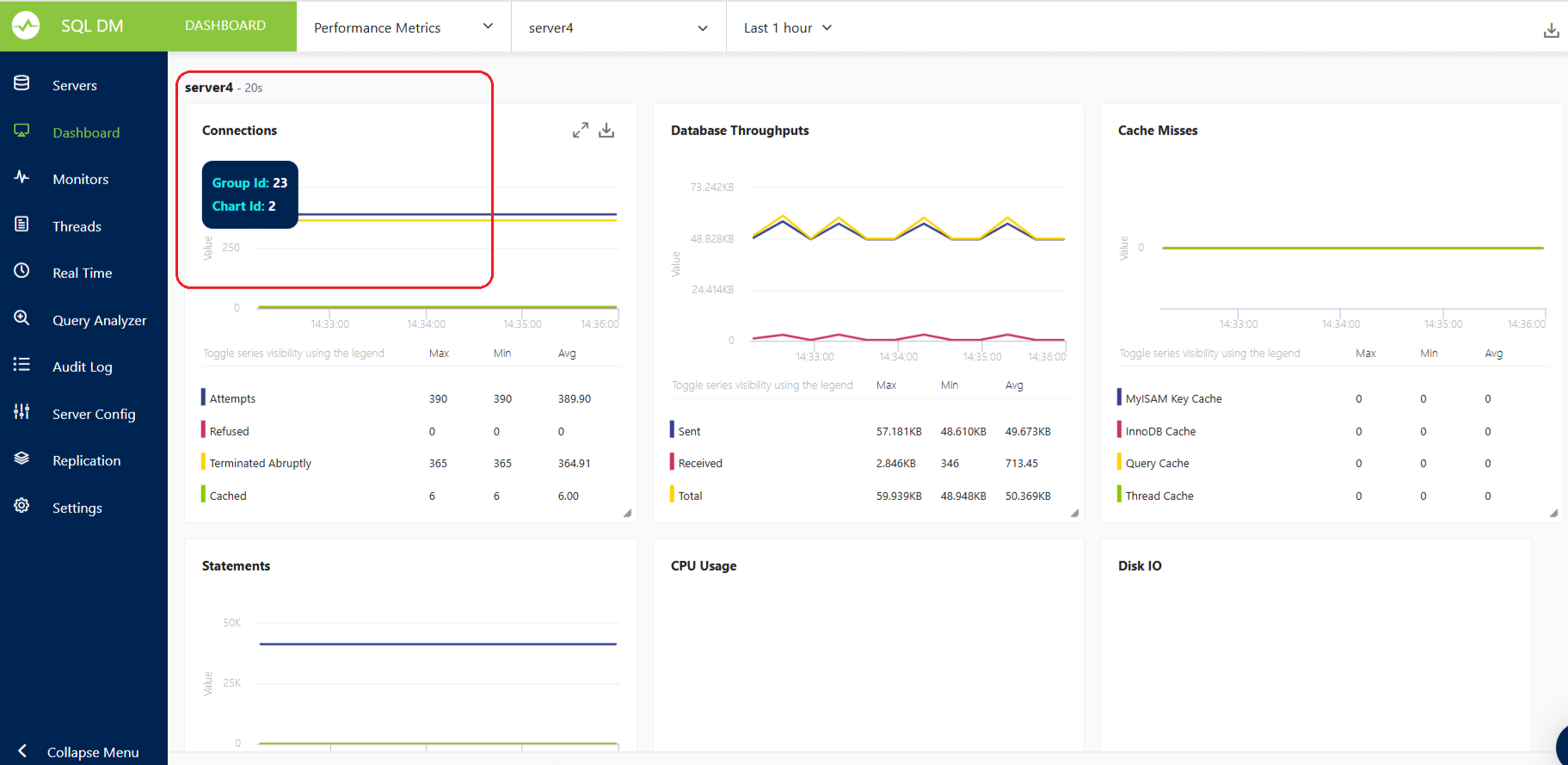
Description:Retrieves values of a specific chart. Endpoint:_object=MONyogAPI&_action=GetChartValues&_user=[sqldm user name]&_password=[sqldm user password]&_server=[server_name]&_dashboard=[dashboard_name]&_group_id=[group_id]&_counter_id=[counter_id]&_starttime=[timestamp]&_endtime=[timestamp]
Request Parameters:_server: Server name_dashboard: Dashboard name_group_id: Chart group ID_counter_id: Chart counter ID_starttime: Start time in UNIX timestamp format (optional for current values)_endtime: End time in UNIX timestamp format (optional for current values)
Example Call:$ curl "http://127.0.0.1:5555/?_object=MONyogAPI&_action=GetChartValues&_user=admin&_password=Test@123&_server=server1&_dashboard=Performance+Metrics&_group_id=23&_counter_id=2" |
|
Response Format
All API responses return JSON data.
Success Response:
{
"STATUS": "SUCCESS",
"RESPONSE": [{
"GroupName": "xxxx",
"CounterName": "xxxx",
"Value": "Yes",
"AlertStatus": "1",
"AlertCondition": "None"
}]
}
Failure Response:
{
"STATUS": "FAILURE",
"RESPONSE": "Error Message"
}
Notes:
_type is required for monitor queries._starttime and _endtime are needed for historical data and getting trend values.- Monitor
group_id and counter_id are found on the Monitors page.
- Chart
group_id and counter_id should be displayed on mouse hover in the UI.