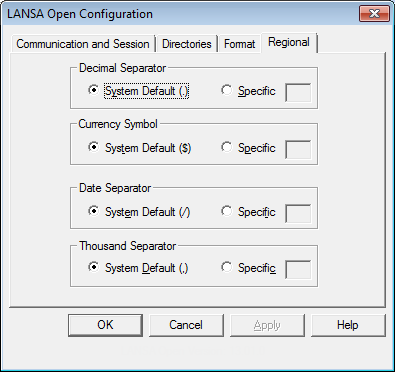
| If changing any of these options, remember that the application will need to be restarted. The system will not need to be restarted. |
The defaults shown on this window are the defaults currently set in your Windows Regional settings.
Decimal Separator specifies the character you want to be used as the decimal separator in packed and signed numbers.
This option will override the default specified for your PC.
Specifies The character to be used as the currency symbol when applying edit codes/words to packed and signed numbers.
This option will override the default specified for your PC.
Specifies the character to be used as the separation symbol for the date.
This option will override the default specified for your PC.
Specifies the character to be used as the separation symbol for thousands when applying edit codes/words to packed and signed numbers.
This option will override the default specified for your PC.