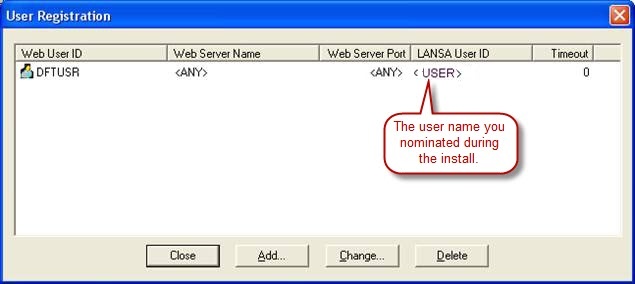
A Windows User is needed to:
A Windows User is created for this purpose during the LANSA install process and it is added to the Windows LANSA Users group. This user is referred to as PCXUSER in this documentation.
| Note: If a workstation belongs to a Windows domain and a Windows User exists on both the Domain and the Local (on the workstation), the Local User logon takes precedence. This is especially important as the User created during the install may conflict with the Domain User. |
If you wish to create a different user for Web access, then you can do so in these steps:
If you use the Windows User that was created during the LANSA Installation you do not need to perform this step.
| Note: The following steps describethe Windows XP procedures. These may not be exactly the same in all versions of Windows. |
Right click on the Users folder and select New User... from the pop-up menu.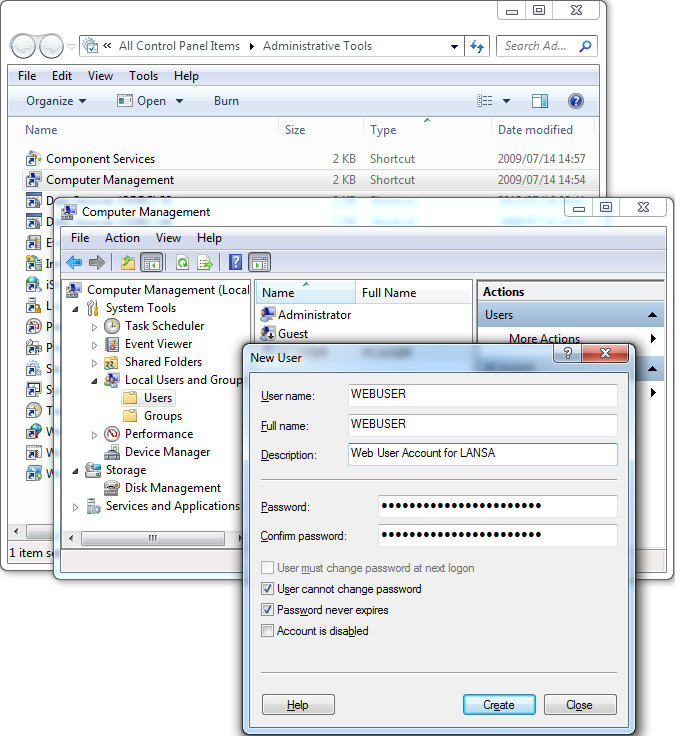
Enter these details in the New User dialog box:
User Name: | e.g. WEBUSER (This must be a valid LANSA User. To be valid, it must be assigned to a LANSA task.) |
|---|---|
Description: | Web User Account for LANSA |
Password: | e.g. password |
Check (select) these options: | Password never expires |
Press Create to create the new User and then Close to return to Computer Management.
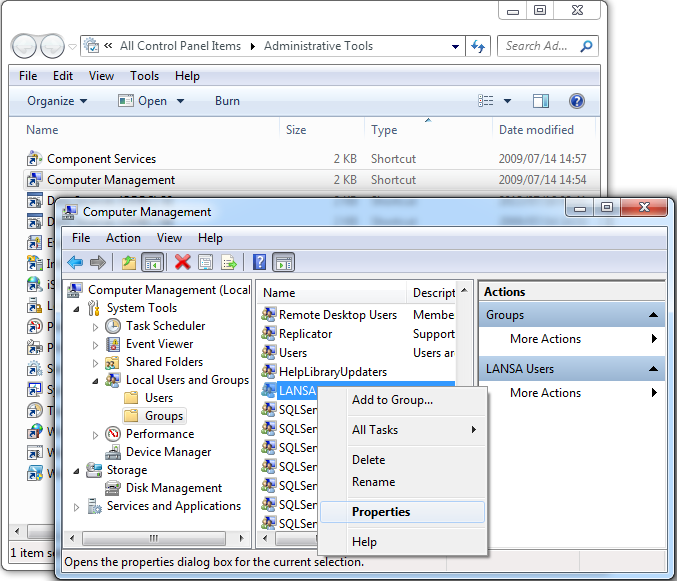
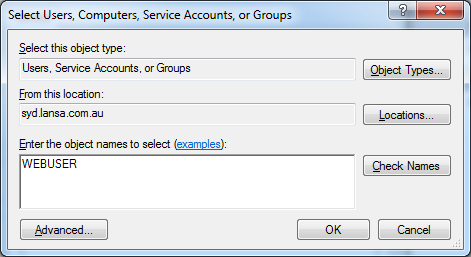
For each user you wish to use to connect to the Data/Application Server using the Web Administrator, you need to add that user to a LANSA Users group. Every user in the group will have the permissions granted to the group.
To add a User to the LANSA Users group:
From your Windows PC running the Administrator, connect to your Windows host and register your user.