Launching the Aqua Data Studio AI Assist window from the Query Analyzer provides access to a table selection wizard based on your active database connection.
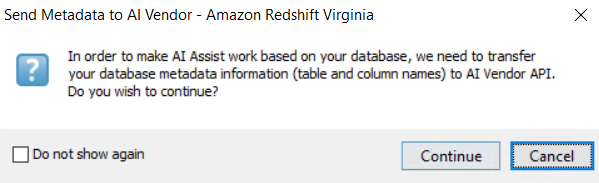
To trigger the wizard, select the "Share Database Metadata" icon in the AI Assist toolbar. For security reasons, ensure that you consent to transferring your metadata to AI and click Continue.
The DB Metadata Generator for AI popup will open, where you can select the Tables you want to use in your query.
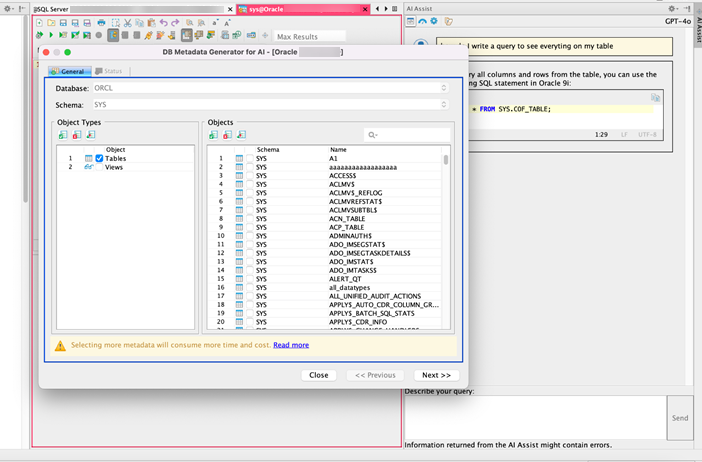
The warning message about “More time and cost” indicates that working with large datasets can result in higher resource consumption due to two factors:
To optimize performance, you can adjust the AI service settings. Navigate to the Set Message Limits settings to configure word usage limits or manage other options as needed. |