Set the first Dropdown's class property to #CLASSHIDE. The WAM's RDML conditions this field to contain either *blanks or 'hidden'.
Note: Select the class property value and then use the XPath editor to enter #CLASSHIDE. |
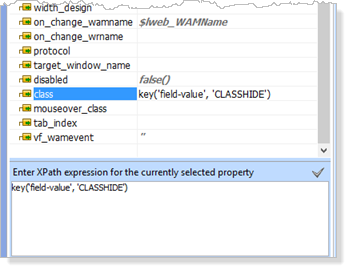
Click the
 icon to confirm this change. Note that the XPath editor has added the required XSL expression:
 key('field-value', 'CLASSHIDE') Select the hide_if property value and use the XPath expression window to define the condition #HIDEIF = 'HIDE'. Press the
button to confirm this change.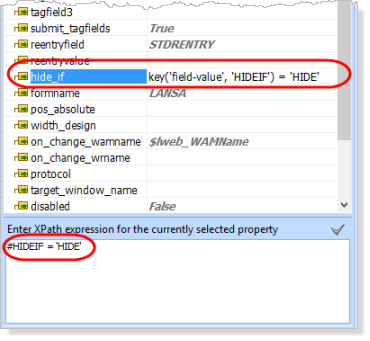
Note: The field name must be entered in upper case. |
- Select the third combo box.
- Select the XSL tab. The block of code that generates the selected item will be highlighted.
You must enclose this highlighted code within the xsl:if tags. The syntax for the xsl:if is:<xsl:if test="test">code to be hidden</xsl:if>
Where test is the condition on which the code will be hidden. - Enclose the code for the third dropdown with the xsl:if condition. The condition to hide is when #XSLIF is 'HIDE', so test will be key('field-value', 'XSLIF') != 'HIDE'.
That is, output the combo box to the page if XSLIF is not equal to 'HIDE'.
The XSL code should look like the following. New code is shown in red.<xsl:if test="key('field-value', 'XSLIF') != 'HIDE'">
<xsl:call-template name="std_dropdown"><xsl:with-param name="name" select="concat('o', position(), '_LANSA_28762')" /></xsl:call-template></xsl:if>Using the XSL Editor
The editor has autocomplete functionality. As you type, press enter to select the prompted code. Once you complete the<xsl:if with the >character, the end if (</xsl:if>) will be generated. Move the "end if" logic after the </xsl:call-template>.Note: If you click on the Design tab or try to save your XSL while your xsl changes contain errors, the errors will be reported on the Go To tab as shown in this example. In this case, there is a missing double quote at the end of the test condition.
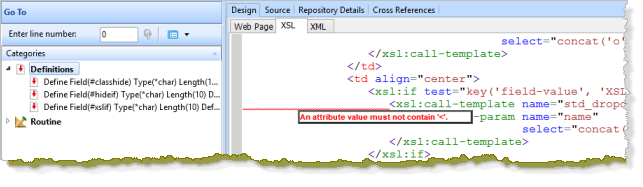
Note that the line in error is highlighted.
Attempts to save xsl with errors may also show these dialogs: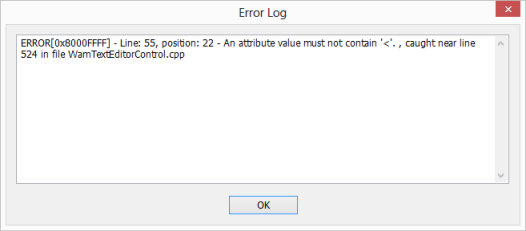
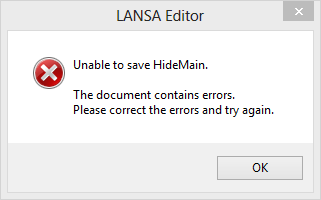
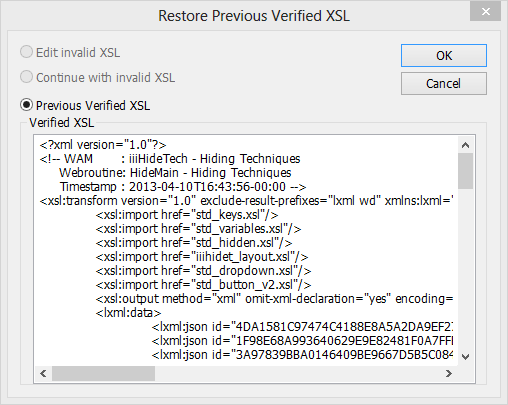
On the Design ribbon, you can use the Restore XSL dialog to restore the previous verified XSL or continue editing.