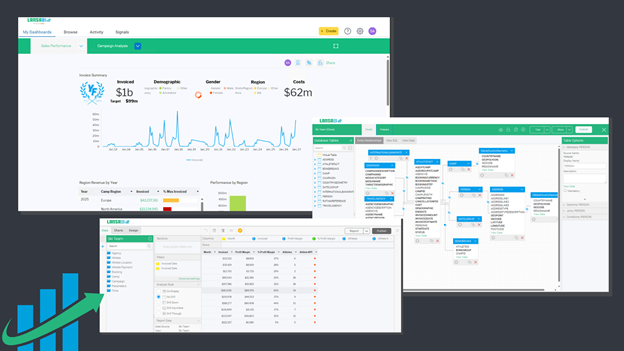
As part of the LANSA BI version 9.14 release, a sample of the Visual LANSA web file is included in the installation package. This sample is designed to help you quickly begin integrating LANSA BI dashboards and reports into your own application in Visual LANSA.
The expanded range of REST API allows you to create your own applications in Visual LANSA, having multiple seamless integrations with LANSA BI’s reports, dashboards and content.
The REST API provides important functionality to help you automate key processes, such as automating the onboarding of new clients in a multi-tenant environment, building custom embedded applications using LANSA BI in Visual LANSA, and integrating LANSA BI content (users, stories, signals, reports, etc) inside a LANSA application.
LANSA BI version 9.14 introduces new functionality for REST API, including:
For detailed technical information, see the REST API documentation here.
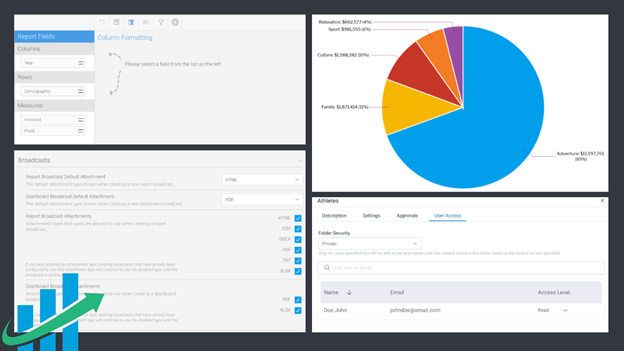
Unification of the UI to ensure consistent popups are displayed throughout the application. This includes popups to create and edit Folders, popups for sharing content such as Reports and Stories, the View Summary popup, and a variety of other confirmation popups (such as when deleting content).
In addition, based on users’ feedback, LANSA BI 9.14 has enhanced the UI for managing User Access on Folders - including the ability to:
LANSA BI 9.14 has continued to improve on reporting capabilities, including the ability to export, share and broadcast reports as attachments (using Export and Broadcast features).
In this release, the role function for TXT and CSV are separated roles (previously, these were combined in a single role), and added fine-grained control over exactly which attachment types are supported for Reports and Dashboards, including the ability to modify the default attachment type for broadcasts.
The Image Manager has been enhanced to allow new image uploads to be pasted from the clipboard of the browser, making it easier when adding images to Stories, adding images to Dashboards or adding images to Presentations. To search for an image (for example, in a Google Search result), right click to copy it and paste it directly into the Image Manager popup.
For users who have not added a profile image, User Avatars now display the user’s initials, similar to many modern messaging applications, as opposed to the default user icon. In addition, we have added the ability for users to choose a custom background color for their avatar. This uses a standard color picker that allows for a choice between standard colors or a fully custom color including the ability to enter the hexadecimal code of your favorite color. Users can now also customize the initials that are displayed, particularly useful for certain languages where the first and last initial do not represent the most appropriate choice for a user.