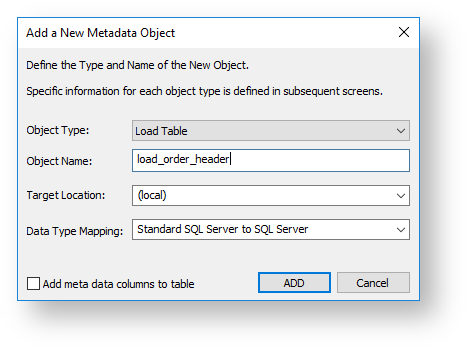
The simplest way to create a Load table is to use the drag-and-drop functionality of WhereScape RED.
Drag and drop can be used for all connection types and the process is the same in all cases.
The option Add meta data columns to table is selected when creating Load tables that are used in creating Data Vault objects. If this option is selected, two DSS columns (dss_record_source and dss_load_date) are included in the metadata for the table and are populated by transformations. These two DSS columns could equally be applied to other Load tables not used in a Data Vault system but are particularly important to comply with the Data Vault standards. Refer to Data Vaults for details. |
WhereScape RED supports loading tables of up to 2048 columns. However, this maximum number of column loading restrictions can be lower than the target database or tools permit.
The target database will provide users with the appropriate warning if the maximum number of columns loaded is breached at runtime.
When creating a Load table in WhereScape RED by dragging and dropping a source table, RED reads the structure of the table in the source system and attempts to construct an equivalent Load table in the data warehouse. There are occasions when the Load table creation will fail due to incompatible data types in the target data warehouse. The remedy is to change the data types of the particular attributes that are causing the load failure. Once corrected, the Load table is created. The table load must be tested to ensure that data can be INSERTED into the Load table from the source table. If the load fails then the data may need to be explicitly converted to the destination data type, using a column transformation that is executed during the load (refer to Load Table Column Transformations for details). Incompatible data types that cause Load table creation errors are typically caused by:
|