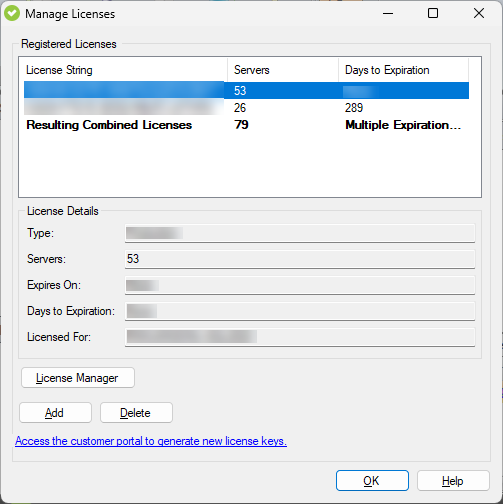
IDERA SQL Compliance Manager provides an intuitive, simple-to-use interface for license key management. You can view the status of the license keys and add licenses to audit additional instances.
To manage your licenses, go to the File menu, and select Manage Licenses. In the Manage SQL CM Licenses window, you can see your license key, the number of servers it is for, and the number of days until it expires. In the License details, you can also see the type of license you have, the exact date of expiration, and the repository for which is licensed.
Click Add to add a new license and select one of the following types:
When you reach the SQL CM limit dictated by your license, SQL CM will not let you add new servers. Take into account the following scenarios:
SQLCM will continue to audit all of the registered instances, even after the Term Licenses expire. |
|