Overview
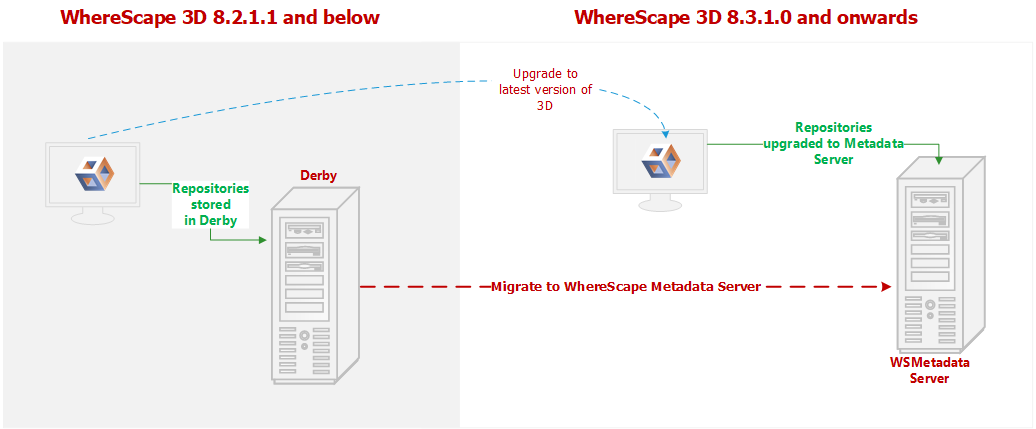
Following is an overview of upgrading local repositories...
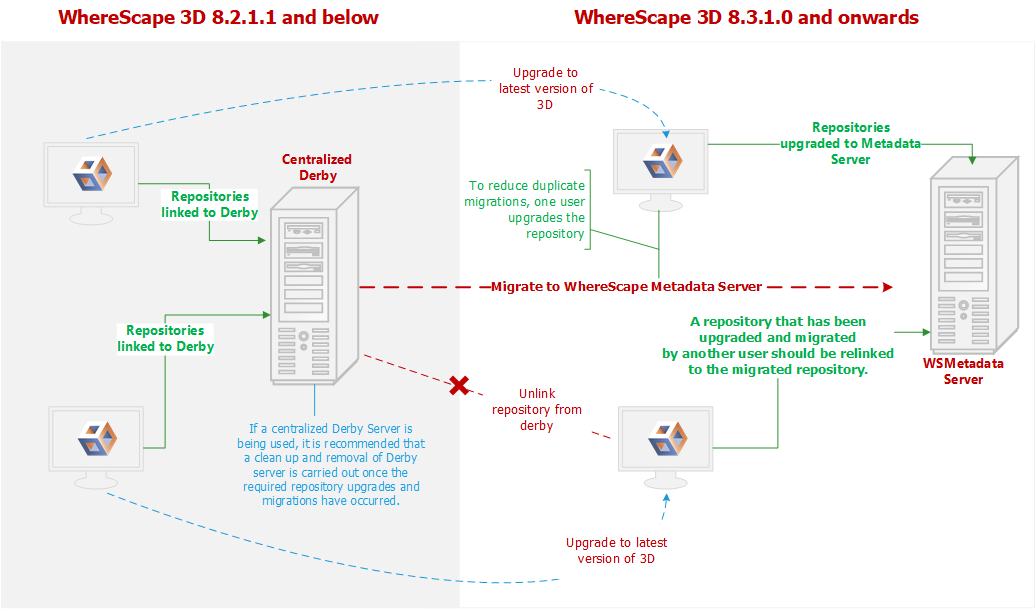
Following is an overview upgrading centralized repositories...
Upgrade Process
To upgrade to the latest WhereScape 3D:
Before upgrading WhereScape 3D, it is recommended you back up any repositories as part of our standard upgrade procedure. Upgrading any repositories older than 8.3.1.0 will display the Migration Wizard. The WhereScapemetadata server was upgraded in version 8.6.2.0. Upgrading the metadata server is not a requirement for using WhereScape 3D 9.0.2.1 |
- Download the latest executable file from the WhereScape website.
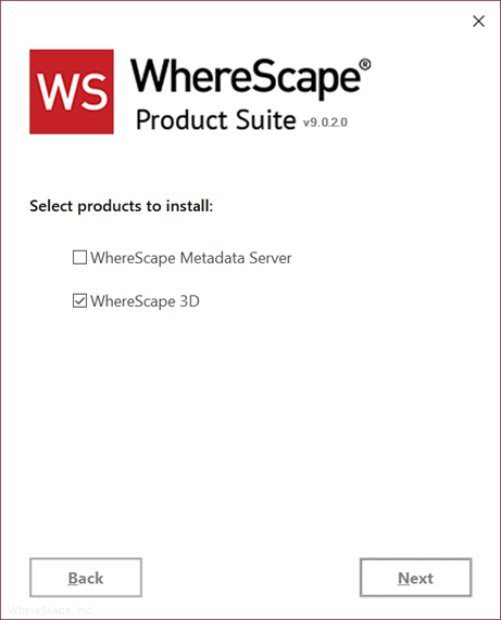
- Run the installer. The Choose installation type dialog is displayed, as show in the following screenshot:
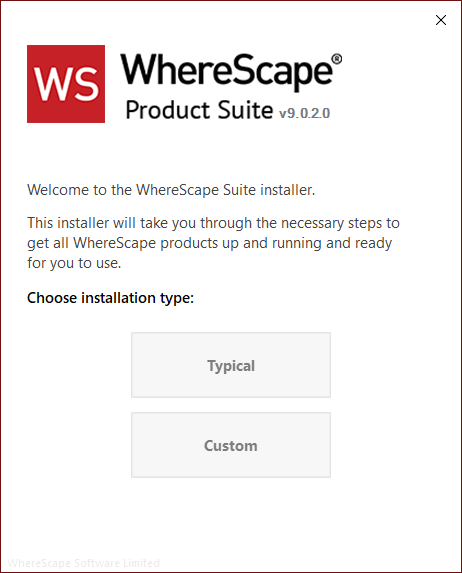
- Typical – If you select the Typical option, WhereScape Product Suite will be installed with all mandatory, and recommended configurations supplied with the installer.
- Custom - If you select the Custom option, you will be provided with screens where you specify all configuration information.
- If upgrading from version 8.5.1.3 or below, an upgraded version of the WhereScape metadata server can be installed. If the metadata server is to be upgraded please follow the steps in the section upgrading the WhereScape metadata server. If the metadata server will not be upgraded, select to install only WhereScape 3D when prompted.
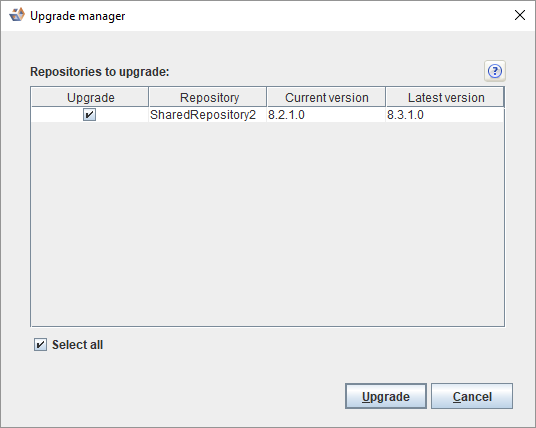
- After running either Typical or Custom installation type, launch 3D. The Upgrade manager dialog displays all repositories older than the current installed version of 3D.
- Select the checkbox for the repositories you want to upgrade and click Upgrade.
- Click Upgrade. The Migrate legacy repository dialog is displayed.
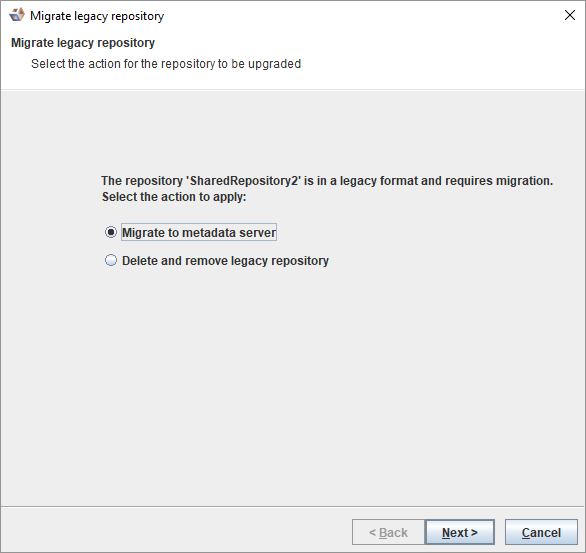
- Select the Migrate to metadata server radio button and click Next >. The Migrate legacy repository settings dialog is displayed.
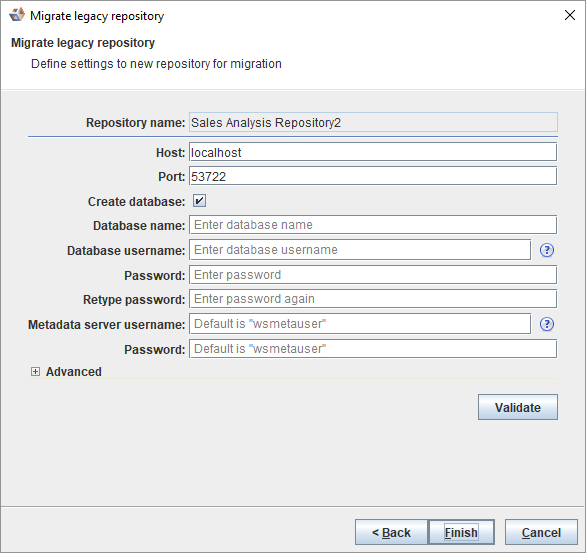
Step 6 and 7 are ONLY displayed if a repository is 8.2.1.1 or below. |
- Enter the necessary information and click Finish. The Upgrade manager dialog is displayed.
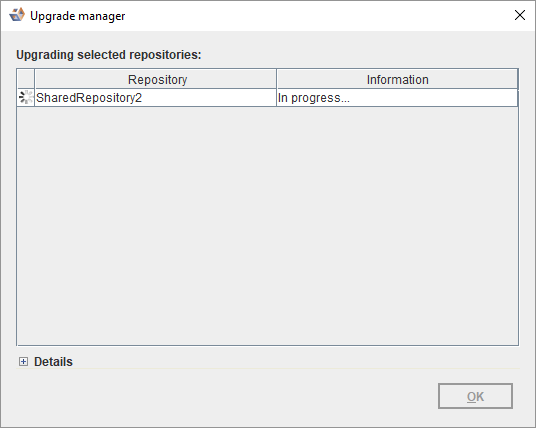
- An In progress status is displayed during the migration.
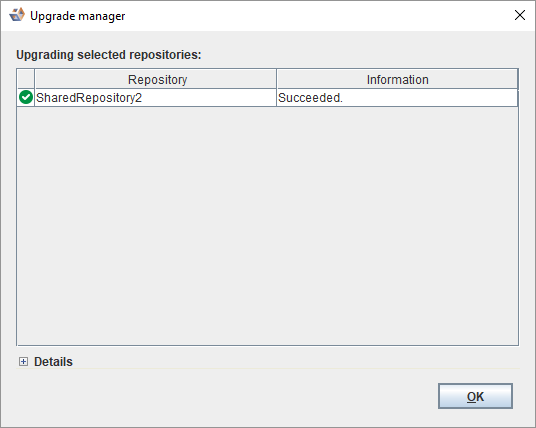
- A Succeeded status is displayed upon successful completion of the upgrade.
- An error message is displayed in the Details section in the event of a failure.
- Click OK.
Upgrade the WhereScape Metadata Server
The version of PostgreSQL used by the WhereScape Metadata server was upgraded from version 10.3 to version 12.4 in 3D 8.6.2.0, however, upgrading the WhereScape Metadata server is not a requirement for using more recent versions of WhereScape·3D.
PostgreSQL 12.4 offers a number of improvements, including some relating to security. Full details available here.
If you wish to upgrade to later versions of PostgreSQL, please follow the steps detailed here.
To upgrade the metadata server, you must also upgrade all repositories. Follow the steps below:
- Backup all repositories via the Backup repository option in WhereScape 3D
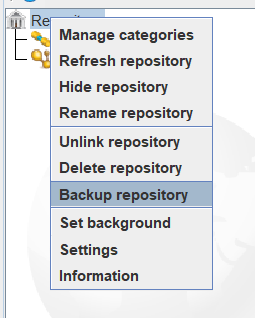
- Right-click on the repository name in 3D
- Select backup repository.
- Select a location to store the backups and optionally change the name of the backup file.
- Unlink all repositories via the Unlink repository option in WhereScape 3D
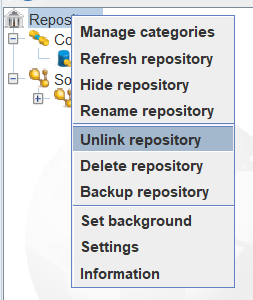
- Right-click on the repository name in 3D.
- Select Unlink repository.
- Uninstall the WhereScape Metadata Server via the Windows Control Panel.
- Manually remove the WhereScape Metadata Server database directory.
- In Windows File Explorer delete the following directory: C:\Program Files\WhereScape\WsMetaServer\data
- Reboot the Windows machine.
- Install WhereScape 3D and the WhereScape Metadata Server using the installer found at: https://www1.wherescape.com/support/software-downloads-documentation/wherescape-3d/release-version/

- When the upgraded version of WhereScape 3D is first opened you will be prompted to add a repository. Select 'Restore' repository, then browse to the location where your backup is saved. If there are multiple repositories to be upgraded, they can be restored via the File > Add Repository option in WhereScape 3D.
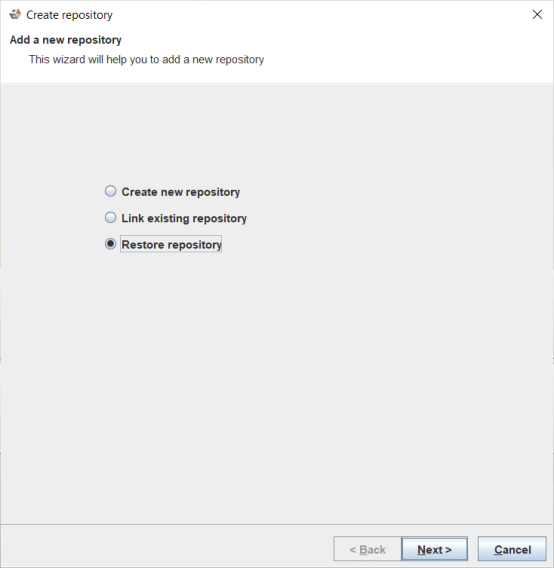
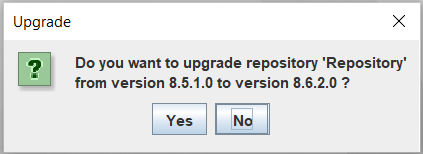
- When asked whether you want to upgrade your repository select: Yes.