To view the profiling results for a particular table via the Metric result table, right-click on an entity in the repository tree and select Data profiling result>Show data profiling result in table.

The Metric result table, similar to the following, is displayed:

To change the metrics currently being displayed (Entity, Attribute - single value, Attribute - pair value, Relationship - single value or Relationship - pair value level metrics) choose an option from the Metrics combo box:
The columns displayed in the table and the associated metrics will vary depending on which option is selected from the Metrics combo box. |

- Single value: The profiling metric results in a single value.
- Pair value: The profiling metric results in multiple keys and values.
 Filtering Results
To apply metric level filtering, click on the filter icon:

To view the Metric result table from the diagram, right-click on an entity in the diagram and choose Profiling result, then Show data profiling result in table. 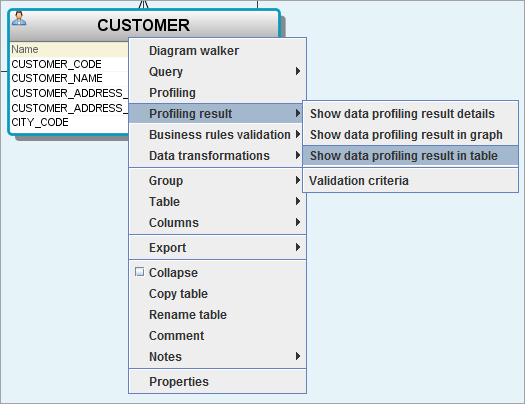
|