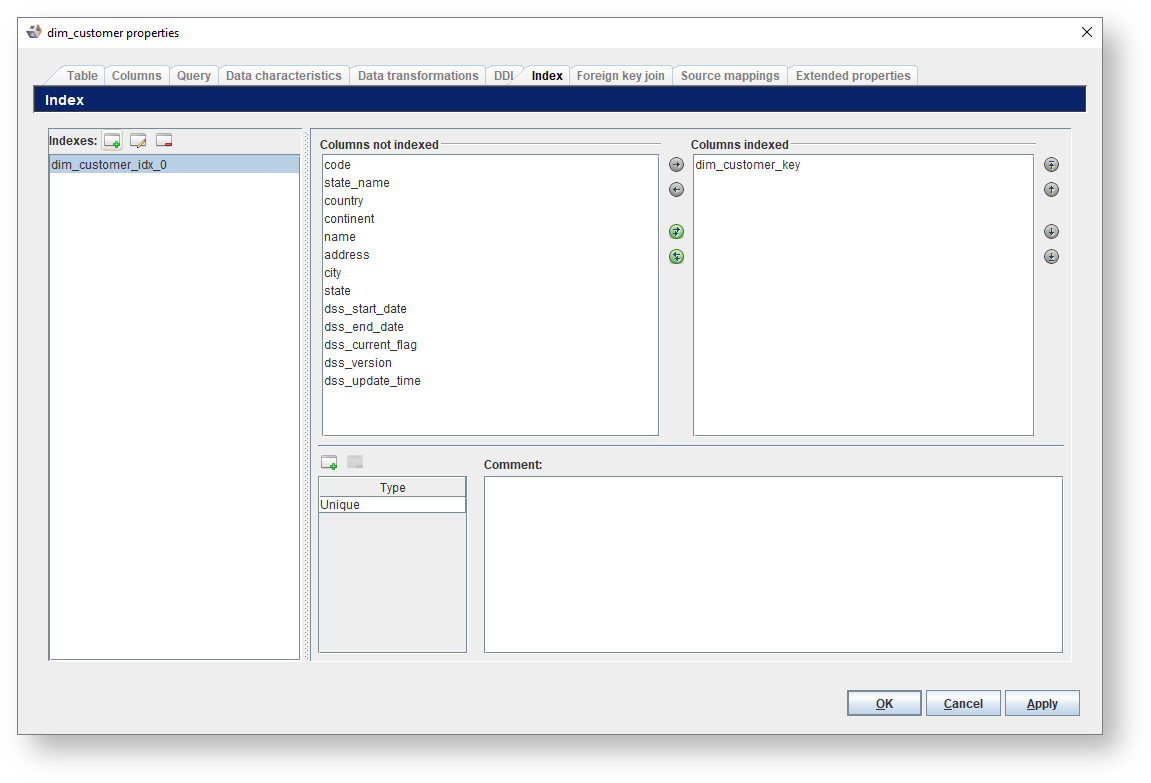
Fields/ Fields | Description | ||||||||||||||||||
|---|---|---|---|---|---|---|---|---|---|---|---|---|---|---|---|---|---|---|---|
| Click to Add an index. | ||||||||||||||||||
| Click to Rename the selected index. | ||||||||||||||||||
| Click to Delete the selected index. | ||||||||||||||||||
Columns indexes | Select the columns for the index. Use the following icons to select and deselect columns for the index.
| ||||||||||||||||||
Comment | Enter a comment for the index. | ||||||||||||||||||
Type | |||||||||||||||||||
| Click to Add an index type. From the Choose index type dialog, select an Index type from the drop-down list. | ||||||||||||||||||
| Click to Delete the selected index type. |
To manage the index types present in a model version:


If you select Remap index types, the Choose index types window appears so you can select or add the index types to remap to. Click OK to set the mapping.
|


