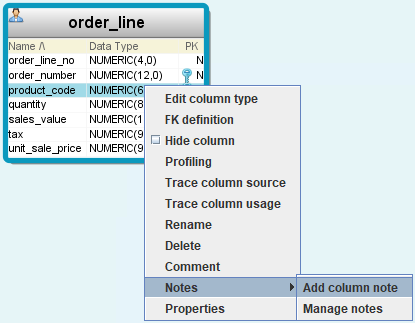
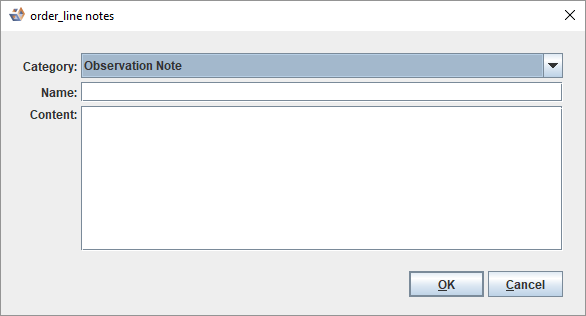
- Select a note Category from the drop-down list.
- Enter a Name for the note.
- Enter your note Content.
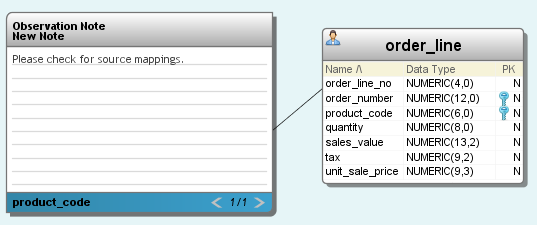
The name of the column is displayed in the note footer. You can add any number of notes to a table. Use the navigation icons < and >in the lower right corner of a note to navigate through them. |