The usage mappings for the selected item are displayed in a new window.

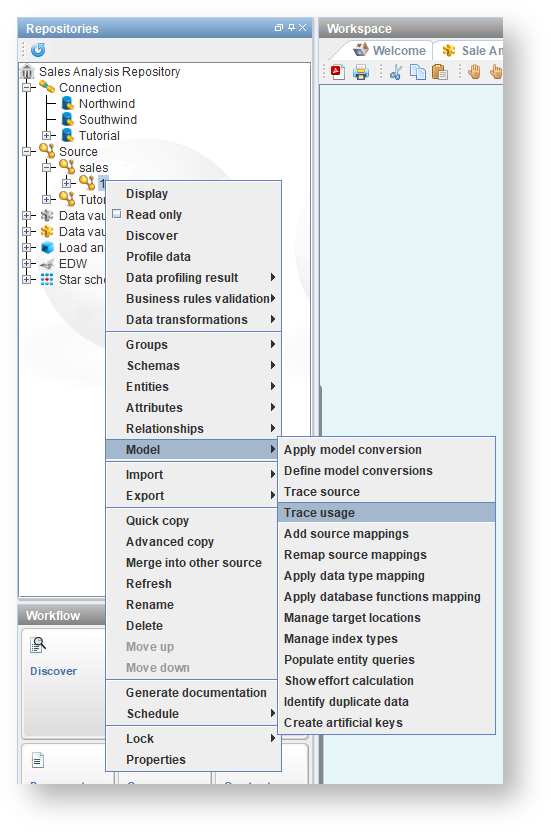
This function generates a graphical representation depicting the usage trace mapping of items linked to a selected source.
To create a Usage Trace graphical view:
Right-click on a version in the tree and select Model> Trace usage or Connection>Trace connection usage.
The usage mappings for the selected item are displayed in a new window.
If you right-click on a displayed object and select Show diagram, the relevant diagram is displayed in the middle pane. |
Toolbar
Icons | Description |
|---|---|
| Click to save the diagram in a separate location as PDF, PNG or SVG: |
| Click to print the diagram. |
| Click to pan across the diagram. |
| Enables you to select objects in the diagram and resize them. |
| Zoom in on the diagram. |
| Zoom out on the diagram. |
| Zoom. Click to select a zoom % from the drop-down list. |
| Layout. |
| Route foreign key joins. |
Overview tab | Click to view an overall perspective view of the diagram.
|
Keys tab | Click to view the color legend. |


