When adding entities to a Group, we can either add existing entities to the group, or we can add a new entity to the group. See the model conversion rule "Assign entities to group" to programmatically add entities to a group.
Adding Existing Entities to a Group
To add existing entities to a group:
- Right-click on the group and choose Entities>Add entities.

- It is possible to narrow down the list of available entities by selecting the required entity types in the dialog below.
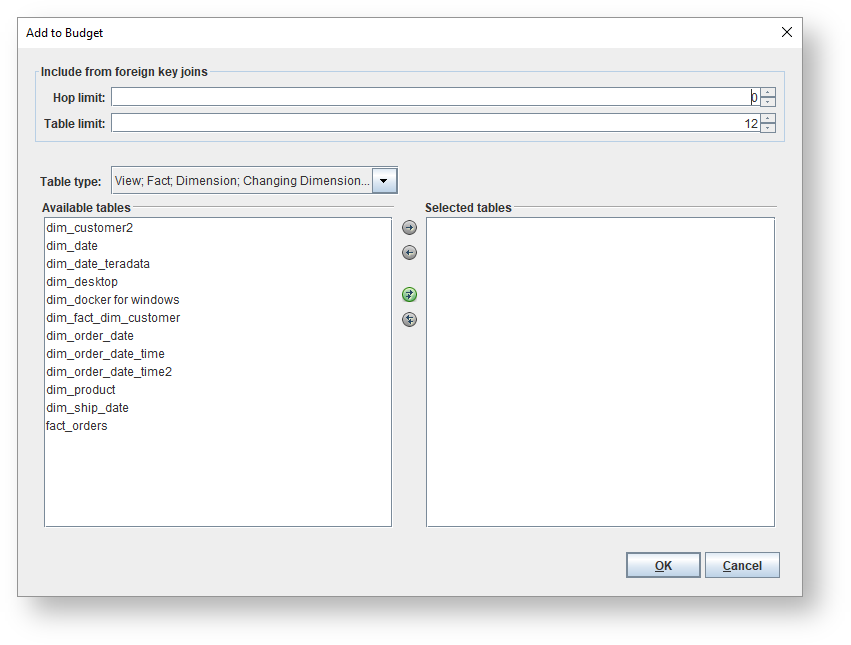
- Move the required entities to the right column and click OK.
Icons | Description |
|---|
| Move selected item to the right. |
| Move selected item to the left. |
| Move all the items to the right. |
| Move all the items to the left. |
| Move the selected item(s) to the top. |
| Move the selected item(s) to the bottom. |
| Move the selected item(s) a level up. |
| Move the selected item(s) a level down. |
- The selected entities will now be added to the group.
 Adding a New Entity to a Group
To add a new entity to a group:
- Right-click on the group and choose Entities>Add new entity.

- Enter the details for the new entity and click OK.

The new entity will be added to the group.


