
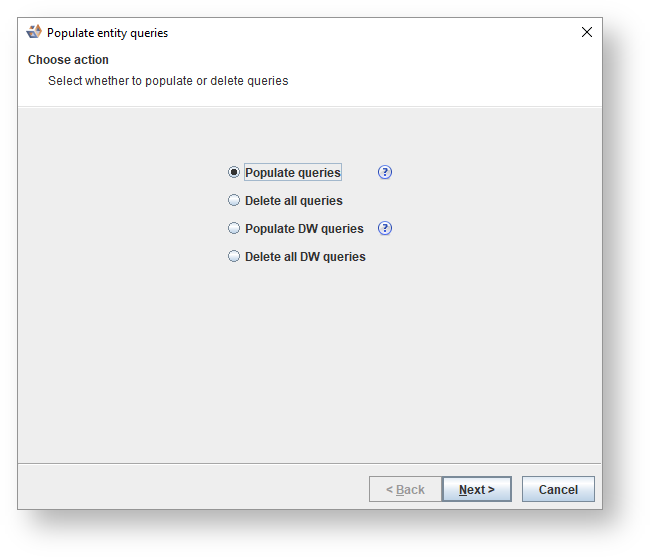
The following dialog will be shown. Select an option and click Next.
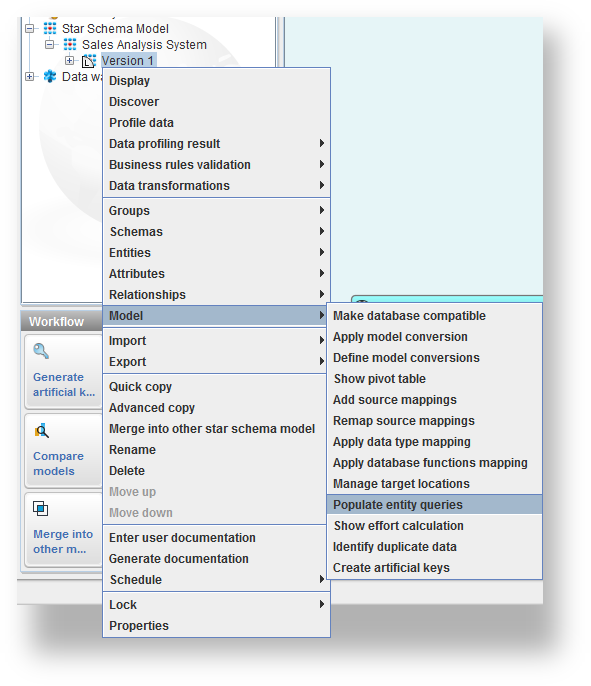
To populate the query fields on all entities in a model version, group or schema, right click on it in the tree (or right click in the diagram) and select Model>Populate entity queries.
The following dialog will be shown. Select an option and click Next.
The options Populate DW queries and Delete all DW queries only display if DW queries are enabled in this category. |
If you selected Populate queries the following dialog is displayed.
Fields | Description |
|---|---|
Populate | Select whether you want to ignore or overwrite existing queries from the drop-down list. |
Template | Select a template from the drop-down list. The Default Template option will use the template that is set on the entity; otherwise, when there is no template set on the entity, the default provided data or DW template will be used. |
Force chosen template | Select this checkbox to override any templates set on the entity with the template selected above. The checkbox is enabled if a template other than the default template is selected. |
Show report | Select to display a report of the changes made and any errors. |
Any data transformations stored on the table is included in the generated query, refer to Entering a Transformation for an Entity for details. |
If you selected Delete all Queries you are asked to confirm your choice. Clicking OK clears all entities' query fields.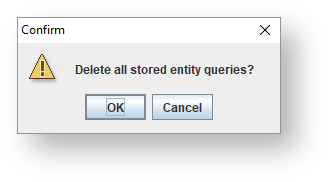
If you selected Populate DW queries the following pane is shown.
Fields | Description |
|---|---|
Populate | Select whether you want to ignore or overwrite existing queries from the drop-down list. |
Template | Select a template from the drop-down list. The Default Template option will use the template that is set on the entity; otherwise, when there is no template set on the entity, the default provided data or DW template will be used. |
Force chosen template | Select this checkbox to override any templates set on the entity with the template selected above. The checkbox is enabled if a template other than the default template is selected. |
Encapsulate fully qualified name | Enter characters in these text fields to be used to encapsulate database, schema, entity, and attribute names in the query. |
Copy WHERE clauses from query tab | Select this checkbox to copy the clauses from the query to the DW query, so when an entity already has a query defined, any WHERE, GROUP BY and ORDER BY clauses of that query is added to the generated DW query. |
Show report | Select to display a report of the changes made and any errors. |
If you selected Delete all DW queries you will be asked to confirm your choice. Clicking OK clears all entities' DW query fields.