Predefined entities can be configured. New predefined entities can be added, edited and deleted using this settings screen.
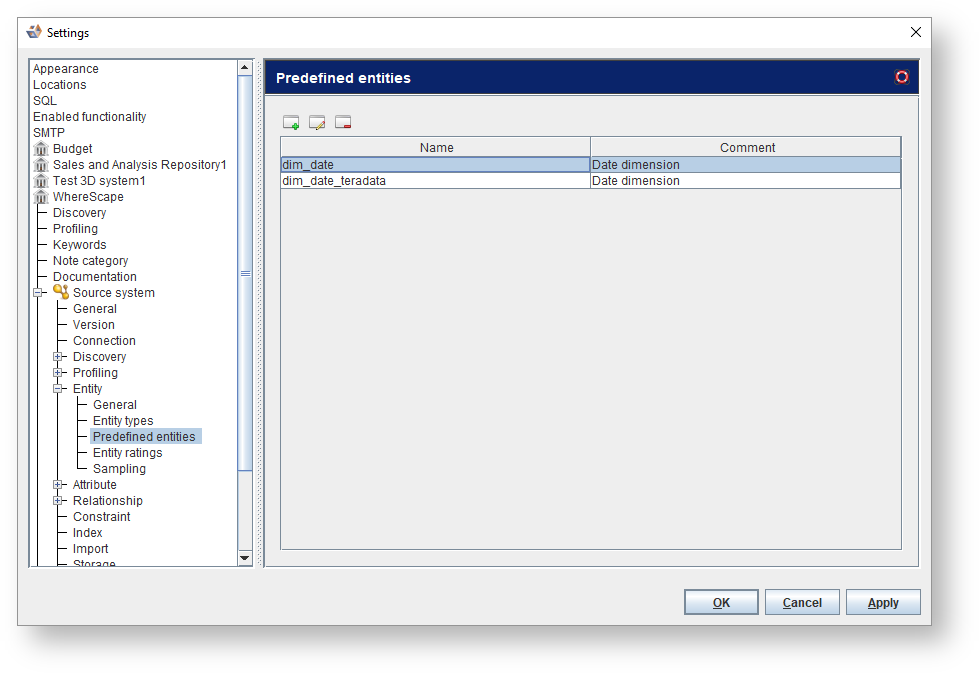
Predefined entities are entities that are commonly used in a diagram and can be reused. Some categories have their own predefined entities specified. For a Star schema model, the entity 'dim_date' has been defined. This enables you to easily add date dimensions in a design.
Predefined entities can be configured. New predefined entities can be added, edited and deleted using this settings screen.
Icons | Descriptions |
|---|---|
| Click Add to Create predefined entity . Refer to Create or Edit predefined entity for details. |
| Click to Edit the selected predefined entity. |
| Click to Delete the selected predefined entity. |
 to create a predefined entity or select a predefined entity and click
  to edit it.
Fields | Description |
|---|---|
Name | The name of the predefined entity. |
Comment | A comment on the entity. |
Entity types | Select an entity type from the drop-down list. |
Attributes | |
| Click to Add an attribute. |
| Click to Delete the selected attribute. |
| Click to move the selected attribute a level up. |
| Click to move the selected attribute a level down. |
Name | Enter name of the attribute. |
Datatype | Enter the attribute's datatype. |
Datatype size | Enter the datatype's size parameter. |
Datatype scale | Enter the datatype's scale parameter. |
Unique | Select the checkbox so the attributes's values must be unique. |
Nullable | Select the checkbox so the attribute may contain null values. |
Primary Key | Select the checkbox so the attribute is contained in the primary key for the table. |
Auto increment | Select the checkbox so the attributes's value is automatically generated. |
Comment | A comment on the attribute. |
Attribute Types | Select an attribute type from the drop-down list. |


