Tree View Control
The Tree View control has a ViewStyle property with the value Levelled or Unlevelled.
- A Levelled tree uses the TreePosition property of columns to determine the hierarchy. Changes of data values automatically cause nesting of child items. However only one value can be seen for each item in the tree and the number of levels is governed by the number of columns added.
- An Unlevelled tree requires that the user controls the nesting of items via the ParentItem property. Unlevelled trees can have many levels and can show many columns of data. While they are less automated, they are far more flexible and powerful.
Objective
- To implement an unlevelled Tree View with three levels, departments, employees and employee notes.
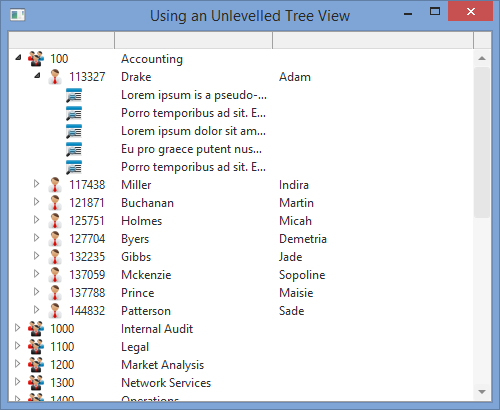
To achieve this objective, you will complete the following:
Before You Begin
Complete all earlier exercises.