1. Create a New / Form / Basic Form:
Name: iiiTreeView
Description: Using an Unlevelled Tree View
2. Drag a Tree View control onto the form.
a. Select the Layout ribbon and give it a Size of Fit Both.
b. The Tree View will expand to fill the form. A 1 x 1 Table Layout has been added to the form.
3. With the Tree View selected on the Design tab, select the Details tab.
a. Change ViewStyle to Unlevelled.
b. Change HasLines to False
c. Change Name to TreeView
4. Drag the fields STD_OBJ, STD_DESC, and STD_DESCL into the Tree View. As the tree has three levels, the column data will vary depending on the level.
5. Click on each column heading to select the column and change CaptionType to Caption so that the column heading is blank.
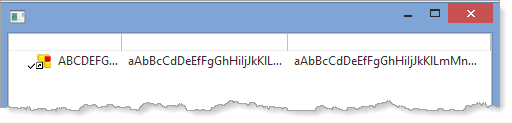
6. Adjust the column widths and change the third column WidthType to Remainder: