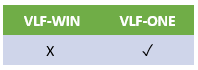
| Ancestor | What can be customized | Where to find More Details and Examples | Where is it snapped in? | VLF-WIN has a similar feature? |
|---|---|---|---|---|
| VF_AC007O Filter | A business object's filter. | In the shipped demo Framework open Example Applications. Select the Foundation tab and then Business Object 101. The filter code is in DF_T42F1O. | On the business object's Filters -> Filter Snap-in Settings tab. | Yes |
| VF_AC010O Command Handler | A Framework, application or business object command handler. | In the shipped demo Framework open Example Applications. Select the Foundation tab and then Business Object 101. Search for B then click on employee to execute the default command handler. The command handler code is in DF_T42F1O. . | On the Framework, application or business object's Commands Allowed tab. | Yes |
| VF_AC011O System IIP | The main system Imbedded Interface Point | See shipped examples UF_OSYSTM and DF_OSYSTM. | (Framework) -> (Properties) -> Framework Details tab | Yes |
| VF_AC012O Instance List Browser | The way that a business object's instance list is visualized. | In the shipped demo Framework open Example Applications. Select the Advanced tab and then Snap In Instance List. The shipped example DF_T41I1O displays the instance list. | On the business object's Instance List tab. | Yes |
| VF_AC017O RAMP Prompter | A prompter to be associated with fields on RAMP screens. | See shipped examples DF_PRM01O -> DF_PRM07O. | In RAMP Tools | Yes |
| VF_AC021O Popup Panel | A popup panel that appears automatically when the user hovers over an instance list item. | In the shipped demo Framework open Business Applications. Select Customers. Hover over a customer to see component DF_T40PPO appear. | On the business object's Instance List tab. | Yes |
| VF_AC023O Relationship Handler | Allows child items to be dynamically add to an instance list when the parent instance list item is expanded. The component used to do this is referred d to as a Relationship Handler. | In the shipped demo Framework open Example Applications. Select the Advanced tab and then Dynamic Children. Using the filter DF_T5701O create a sample instance list. Expand nodes in the instance list to cause relationship handler DF_T5702O to be called. | On the business object's Instance List tab. | Yes |
| VF_AC026O Logon Form | The VLF-ONE logon form. | Ask on VL forum. | Specified in code. See shipped example entry point UF_OEXEC. | No |
| VF_AC027O Logon Validation | Defined how user details are validated and passwords are changed. | See shipped example UF_OLOGON. Note that this program executes on the server. | (Framework) -> (Properties) -> Web/RAMP Details tab | Yes |
| VF_AC028O Slider Pane | A left, right, top of bottom slider pane. | In the shipped demo Framework click on the slider areas to the top left, right and bottom of the main window. This causes shipped examples DF_SLIDLO, DF_SLIDRO, DF_SLIDTO and DF_SLIDBO to display. | (Framework) -> (Properties) -> Web/RAMP Details tab | No |
| VF_AC030O Settings pane | The settings pane associated with your Framework | In the shipped demo Framework click settings icon on the top right of the main window. This causes shipped example DF_SETINO to display. | (Framework) -> (Properties) -> Web/RAMP Details tab | No |
| VF_AC031O Assistance Pane | The assistance pane associated with your Framework | In the shipped demo Framework click assistance icon on the top right of the main window. This causes shipped example DF_ASSITO to display. | (Framework) -> (Properties) -> Web/RAMP Details tab | No |
| VF_AC032O MTXT Loader | The way that languages are displayed. | See shipped example UF_OMULTI. | Specified in code. See shipped example entry point UF_OEXEC. | Yes |
| VF_AC033O Theme Customizer | The themes that VLF-ONE uses. | Ask on VL forum. | Specified in code. See shipped example entry point UF_OEXEC. | No |
| VF_AC035O Instance List Panel | The way that the details of an instance list item are displayed. | In the shipped demo Framework open Example Applications. Select the Advanced tab and then Instance List Panels. Use the test buttons to execute filter DF_T5601O and then instance list panel(s) DF_T5602O. | On the business object's Instance List tab. | No |
| VF_AC036O avCustomManager | avCustomManager is your custom system manager accessible to all other components | In the shipped demo Framework open Example Applications. Select the Advanced tab and then Custom Manager 1. The command handlers DF_T5801O (Customer Manager 1) and DF_T5802O (Custom Manager 2) demonstrate the use of a customer manager named DF_OCUSTM. | Your System IIP (see preceding VF_AC011 ancestor) defines the Id of your custom manager. In the shipped demo the System IIP is named DF_OSYSTM. | No |
| VF_AC037O Background pane You need VLF EPC141006 (or later) to use this feature. | The pane displayed in the background of your Framework | In the shipped demo Framework look at the 'watermark' in the bottom of the main panel. This is demonstration reusable part DF_BACKP. | (Framework) -> (Properties) -> Web/RAMP Details tab | No |
| VF_AC038O RAMP Screen Wrapper | Use to form a wrapper which is presented in place of a 5250 screen in RAMP | Refer to RAMP documentation. | Dynamically by RAMP scripting function SHOW_CURRENT_FORM | Yes |
| VF_AC039O Instance List Tool Bar Customization | Replaces the command buttons on an instance list tool bar with custom visualization and logic. | Refer to the F1 help text associated with the snap-in point on the business object’s instance list tab. | On the business object's Instance List tab. | No |