In this step, you create additional columns in the instance list to show all the data loaded for sections by the relationship handler.
- Display the properties of the Company Departments business object.
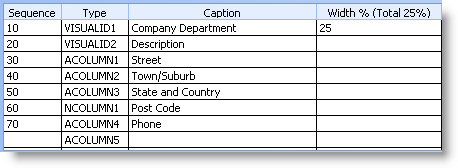
In the Instance List / Relationships tab specify these additional columns:
Column Sequence Column Type Column Caption 30
ACOLUMN1
Street
40
ACOLUMN2
Town/Suburb
50
ACOLUMN3
State and Country
60
NCOLUMN1
Post Code
70
ACOLUMN4
Phone
Your instance list column definitions now look like this:
- Close the properties and save the Framework. Accept the prompt to upload the Framework and wait while the upload completes.
- Use the (Framework) menu and select the option to Execute as Web Application...
Accept the default options and press OK. - Select the iii HR application in the web Framework and then the Company Departments business object
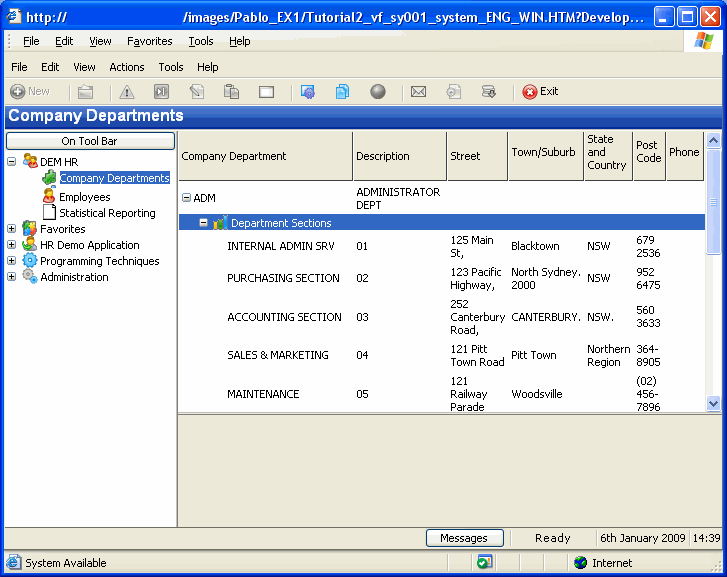
- Expand a department in the instance list and then the sections underneath it.
- Close the application.