Create a Git Repository
- Display the Version Control tab.
- Right-click the folder that is to be the root folder of the Git repository
- Select Version Control/Create Git Repository. The following dialog will be displayed:
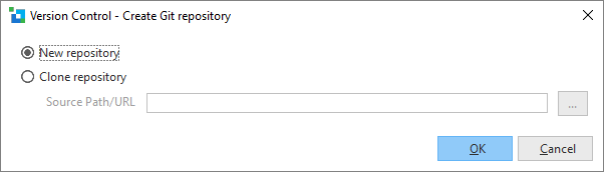
New repository | Creates an empty Git repository. No folders or YAML files under the chosen folder will be modified or deleted. |
|---|---|
Clone repository | Clones an existing Git repository into the chosen folder. A Git repository can only be cloned into an empty folder. A message will be displayed prior to commencing the clone indicating that any existing files in the selected folder will be removed. Git will assign the source Git repository as the default remote Git repository (named "origin") for the newly created Git repository. |