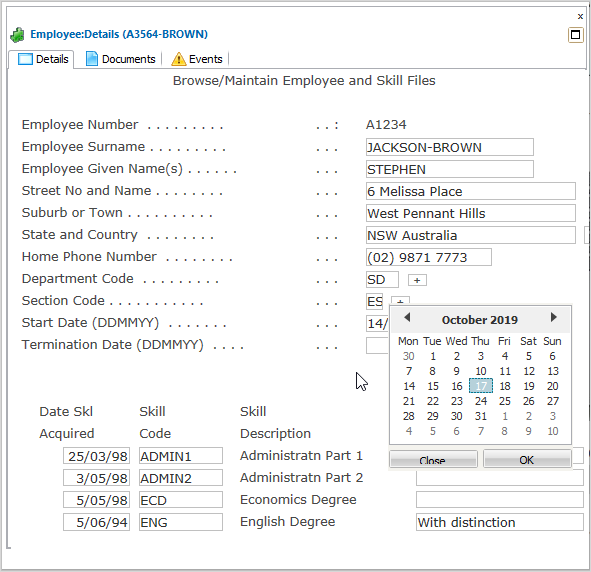
In this step you will generically associate date fields with the shipped date picker DF_PRM07. To test this, you will name the Start Date and Termination Date fields on the DisplayEmployee screen with a name starting with Date*.
1. Start the RAMP-TS 5250 emulator session in RAMP Tools.
2. Navigate to the Maintain/Browse Employee and Skill Files screen and press F21.
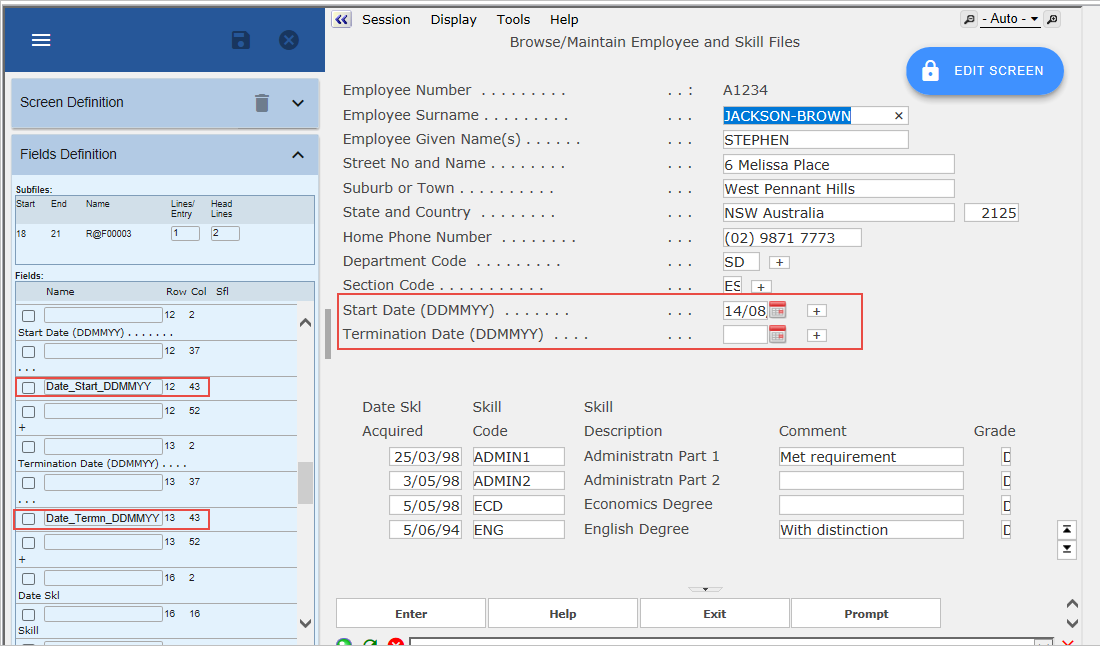
3. Name the Start Date field Date_Start_DDMMYY and save.
4. Name the Termination Date field Date_Termn_DDMMYY and save.
5. Display the Session details and associate fields named Date* with the DF_PRM07 date picker component.
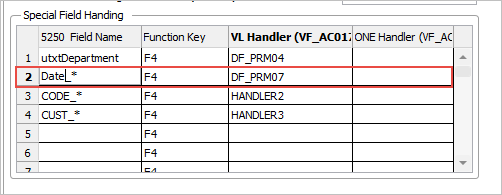
6. Save the RAMP definition and execute the Framework as a VLF-WIN application, as Designer.
7. Display the details of an employee and prompt for the Start Date and Termination Date fields. The special field handler DF_PRM07 is displayed for both fields (and for any other field named Date_nnnnnn_ffffffff).