The Tracking area displays the screens you have displayed in the current RAMP-TS session. When you end the session, the tracking information is cleared.
Colors used in the Tracking area for screens indicate their status and type you have assigned to the screen:
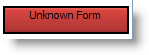
| The screen has not been identified. |
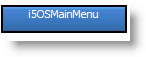
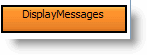
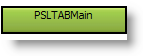
| The screen has been named, but it has not been defined in RAMP. You need to define the screens in your application according to their purpose:
|
| The screen is a junction screen. |
| The screen is a special screen. |
| The screen is a destination screen. |