Launching the Aqua Data Studio AI Assist window from the Query Analyzer automatically triggers a table selection wizard based on your active database connection.
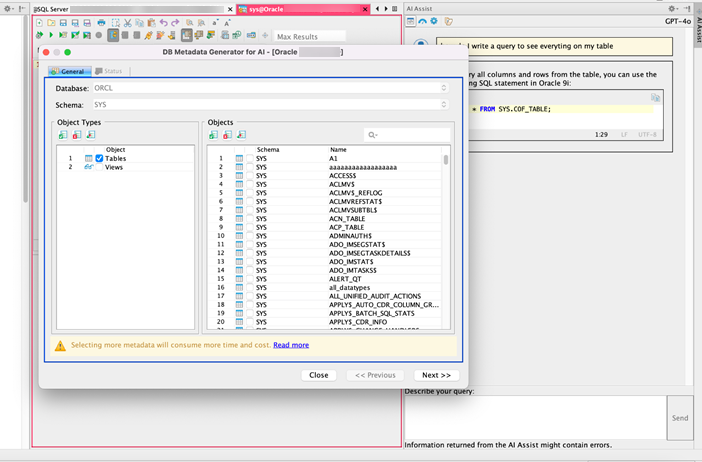
The warning message about “More time and cost” indicates that working with large datasets can result in higher resource consumption due to two factors:
- Increased Metadata: More metadata is transmitted over the network, which can impact performance.
- AI Service Charges: Many AI services charge based on the number of words processed, which may lead to higher costs when handling large datasets.
Note: To optimize performance, you can adjust the AI service settings. Navigate to the Set Message Limits settings to configure word usage limits or manage other options as needed.