1. In the Repository tab, locate the III_NAME field.
2. Right-click on the III_NAME and select Delete from Repository from the context menu.
Note: You will not be actually deleting this field.
You will be asked to confirm the deletion.
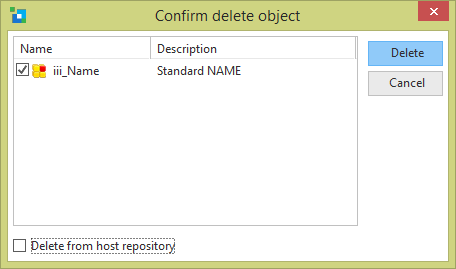
3. Click Delete. You will then see an Integrity Check Failure dialog which will appear to warn you that this field is required. (The field has not been deleted yet.)
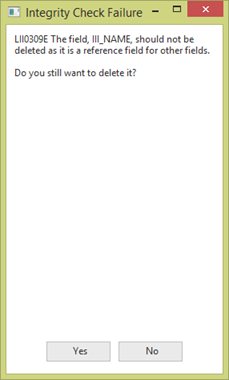
There are two reasons why the Integrity Check Failure may occur: if the field III_NAME is a system field or secondly because it is used as a reference field.
Note: System fields cannot be deleted from the repository unless they are specifically changed to non-system fields. For further details about system fields refer to the F1 Help from the field's Details tab.
4. Press No. Do NOT delete the field.