In this step, you will create an access route from the Employee table to the Department table to describe the table relationship.
1. Open table iiiEmployees in the Editor.
2. Select the Access Routes tab. Ensure that the Details tab is visible.
3. Use the Add button on the Home ribbon, to select Add Access Route from the menu.
4. In the Details tab, enter the following characteristics:
Access route name | iiiTODEPT |
Description | To Department Table |
Accessed table | iiiDepartments |
Association Type | Derive from Maximum Records and Default Action |
Association Rule | Derive from Default Action |
Maximum records | One |
Keep last | |
Default action | Create a dummy record and mark fields as not available (N/AVAIL) |
Derivation: | After virtual fields |
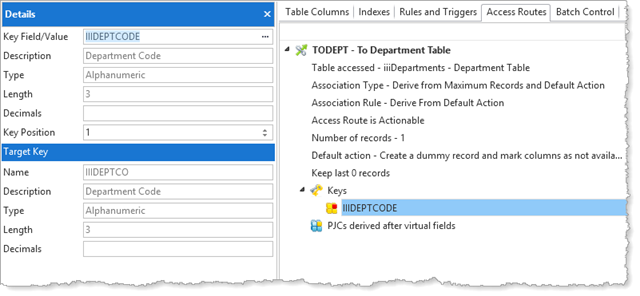
5. Click on Keys / New and use the ellipsis button and Find dialog to select the Key Field/Value to lookup a Department as, iiiDeptCode.
6. Your Access Route definition should look like the following:
7. Save the table definition.